The short version
- Source notes → Focused prompt → Fact check.
- Keep source evidence and review the result before using it.
ChatGPT resume prompts work best when you give the assistant a small editing task and a reliable record of your experience. Ask it to clarify something you did, identify a gap, or shorten a passage. Review each suggestion before moving it into your resume.
The 25 prompts below cover different stages of an application. They are original Thrive templates. Replace the bracketed inputs with your own material and remove personal or confidential information before sharing it.
Prepare the input once
Create two documents: your experience notes and the target job description. In your notes, separate verified facts from details you need to confirm. Include projects and volunteer work, with their status clear.
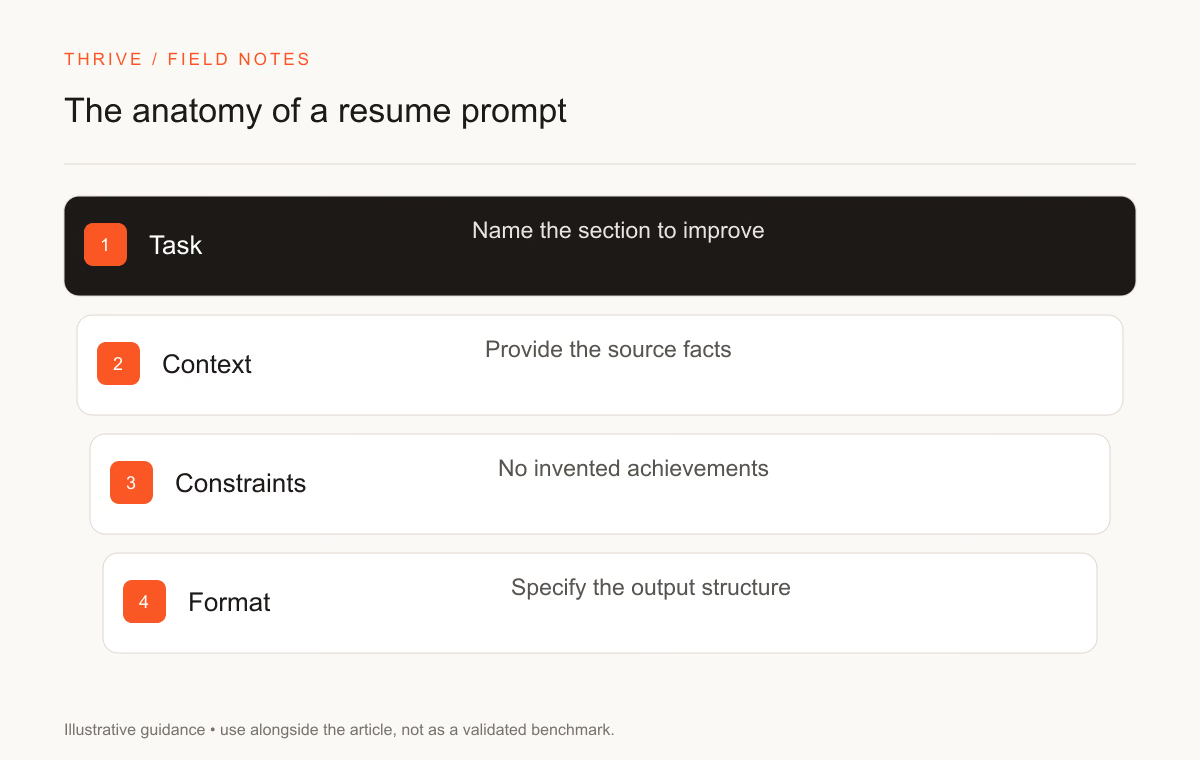
Add this instruction to an editing session: “Use only the facts I provide. Ask about missing information. Do not invent employers, dates, tools, qualifications, or metrics.” That instruction gives the assistant a boundary. You still need to inspect its response.
Stage | Prompts | Input to prepare |
|---|---|---|
Understand the role | 1–5 | The complete job description |
Select evidence | 6–10 | Your work and project notes |
Edit the document | 11–18 | A specific resume section |
Review the application | 19–25 | The draft and the employer's instructions |
Read the job description
1. Separate required and preferred qualifications
Read [job description]. Create separate lists of required qualifications, preferred qualifications, and responsibilities. Quote the relevant phrase beside each item. Mark anything ambiguous. Do not infer a requirement from the job title alone.
2. Identify the work behind the title
Read [job description]. Describe the tasks the employee would perform and the outputs they would produce. Connect each task to a sentence in the posting. Leave out assumptions about the team or its technology.
3. Build a requirement-to-evidence worksheet
Compare [job description] with [experience notes]. Create a table with requirement, supporting evidence, evidence gap, and follow-up question. Keep a gap visible when my notes do not support a requirement.
4. Clarify unfamiliar terminology
List unfamiliar terms in [job description] and explain each in plain language. Separate a general definition from the employer's stated use. Suggest a question I can ask the recruiter where the posting lacks context.
5. Check application instructions
Extract the application instructions from [posting]. List requested documents, file formats, questions, and any stated deadline. Preserve the original wording for details that could change how I apply. Do not supply a deadline that the posting omits.
Select truthful evidence
6. Interview me about one project
Ask one question at a time about [project]. Find out the goal, my contribution, the tools I used, and how I checked the result. After my answers, draft a factual project description and list unresolved details.
7. Find transferable experience
Use [experience notes] and [target role] to identify transferable tasks. Explain the connection using evidence I supplied. Preserve my original job titles. Separate transferable experience from capabilities I still need to develop.
8. Check the ownership of an achievement
Read [achievement notes]. Separate my work from the team's work. Suggest wording that describes my contribution without claiming ownership of someone else's decisions or results. Ask a question where attribution is unclear.
9. Identify useful evidence without numbers
Read [work notes]. Identify concrete outputs I can describe without a numerical result, such as a guide, query, review process, or tested feature. Draft one sentence per output. Do not invent a percentage or time saving.
10. Find facts worth checking
Review [experience notes]. Flag dates, counts, tool names, certifications, and result claims I should confirm before publishing. Create a verification checklist. Keep the original notes unchanged.
Edit a specific section
11. Rewrite a vague bullet
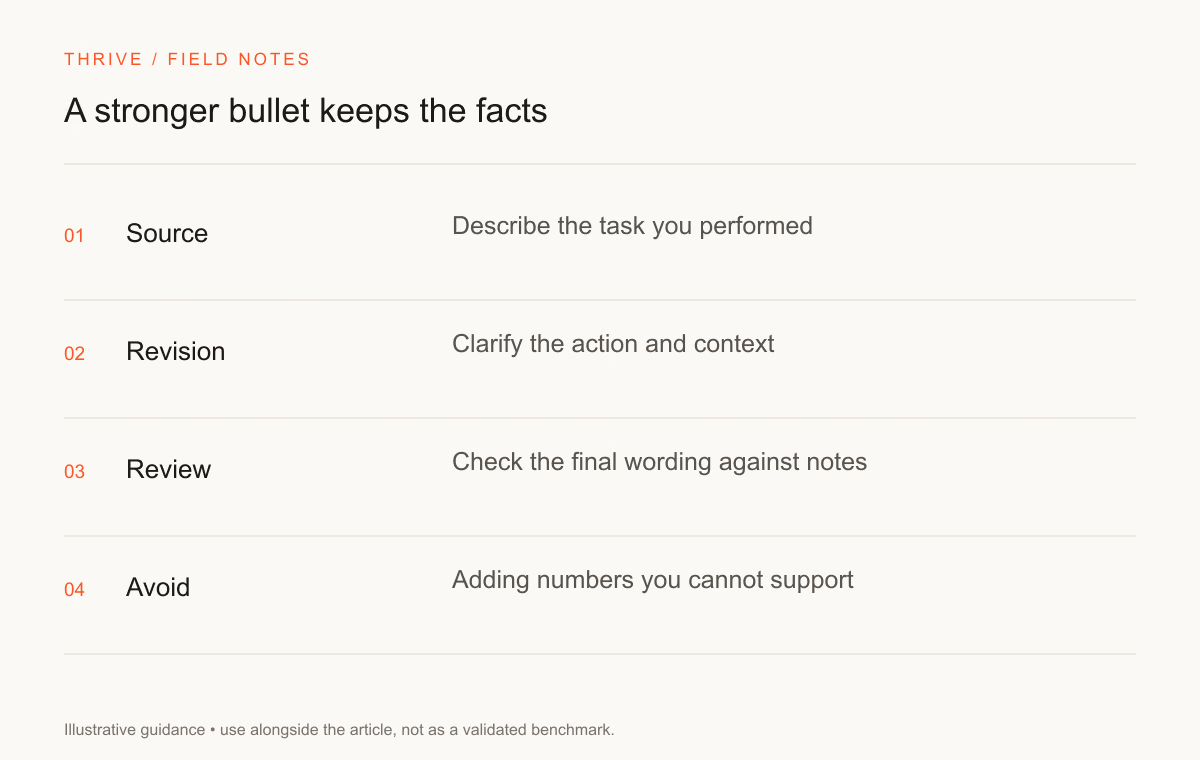
Rewrite [bullet] using only [source notes]. Name my action and the output. Produce two versions of different lengths. Explain which source fact supports each claim. Flag missing facts instead of filling them in.
You can use Thrive's resume bullet improvement prompt for the same task. Keep your source notes beside the suggestion while reviewing it.
12. Shorten an overlong bullet
Shorten [bullet] to one clear sentence. Keep the contribution, relevant method, and supported outcome. Remove repeated language. List any fact you removed so I can decide whether it belongs elsewhere.
13. Replace vague verbs
Review [experience section]. Identify verbs that hide what I did. Suggest a precise replacement using the source notes. Preserve the scope of my responsibility and do not turn assistance into leadership.
14. Draft a role-specific summary
Draft a short resume summary using [verified experience] and [job description]. Select two relevant strengths with evidence. Avoid unsupported seniority, years of experience, or claims about being an ideal candidate.
15. Organize a skills section
Group [skills I have used] into useful categories for [role]. Keep the list limited to supplied skills. Flag items that need an example or proficiency clarification. Do not add software mentioned only in the posting.
16. Label a practice project
Write a project entry for [practice project]. State that it was independent practice or coursework, as appropriate. Describe my method and checks. Do not present it as paid employment or work for a real client.
17. Explain a career transition
Draft a short summary connecting [previous work] to [target role]. Use my relevant tasks and completed projects. Keep the transition explicit. Avoid suggesting that I already held the target job.
18. Remove corporate filler
Edit [paragraph] for plain language. Replace vague phrases with supported actions. Keep my tone and facts. Show the changes and identify any remaining sentence that says little about my work.
The clarity rewrite prompt offers another starting point. A shorter sentence still needs a truthful claim.
Review before submission
19. Audit for unsupported claims
Compare [resume draft] with [source notes]. List any resume claim the notes do not support. Include exaggerated ownership, added tools, invented metrics, and changed dates. Do not rewrite the draft until I resolve the list.
20. Check consistency across documents
Compare [resume] and [cover letter]. Flag inconsistent job titles, dates, qualifications, project descriptions, and contact details. Show the conflicting passages side by side. Leave corrections to me.
21. Review the reading order
Read [text copied from exported resume]. Identify sections that appear out of order, missing labels, broken words, or repeated fragments. Describe the issue using the supplied text. Do not claim that this test certifies ATS compatibility.
22. Check honest keyword coverage
Compare [job description] with [resume]. Identify relevant terms for skills I can substantiate. Suggest where a term could fit into an existing example. Keep unsupported requirements in a gap list.
23. Prepare interview follow-ups
Read [resume]. Ask questions an interviewer could ask about my contribution, tools, decisions, and results. Focus on sentences that need explanation. Do not invent an interviewer's opinion or a prediction about my chances.
24. Proofread without changing meaning
Proofread [resume section]. Fix spelling, punctuation, and inconsistent tense. Preserve names, dates, qualifications, and numbers. Flag a factual concern as a comment instead of changing it.
25. Run a final application checklist
Use [employer instructions] and [document list] to create a final checklist. Include unresolved questions and missing files. Distinguish checks you can perform on the text from checks I must perform on the exported document.
Use the prompts as an editing sequence
Choose one prompt at a time. Role analysis comes before keyword editing; evidence checks come before a final summary. Keep the assistant's response separate from your master record until you have reviewed it.
Open the Thrive resume workspace to assemble the approved text. Use the cover letter builder for a requested letter, and keep both documents consistent. The AI job-search guide covers employer and application checks.
Sources and review notes
Thrive Editorial reviewed these resources on September 28, 2026. The prompt templates are editorial examples, not evidence of improved interview rates.
Put it into practice
Your next step
Have a question or a correction?
Contact Thrive