Claude Code can read a repository, edit files and run commands, but it still needs your team's project conventions and acceptance criteria. Skills can supply repeatable instructions for code review, testing and other workflows; they do not guarantee that every generated change follows those instructions.
A Claude Code skill provides reusable instructions and may include supporting resources or scripts. Use it to describe when a workflow applies, which tools are appropriate and what to verify before presenting results.
Model information checked on 22 October 2026: Claude Code's direct Anthropic API model aliases currently resolve to Opus 5.5, Sonnet 5.5 and Haiku 5.5; other providers and managed accounts can expose different versions or restrictions. Skills are not specific to Opus. Claude Code is also available through eligible paid Claude subscriptions, not only separately billed API usage. Model configuration, Claude plans.
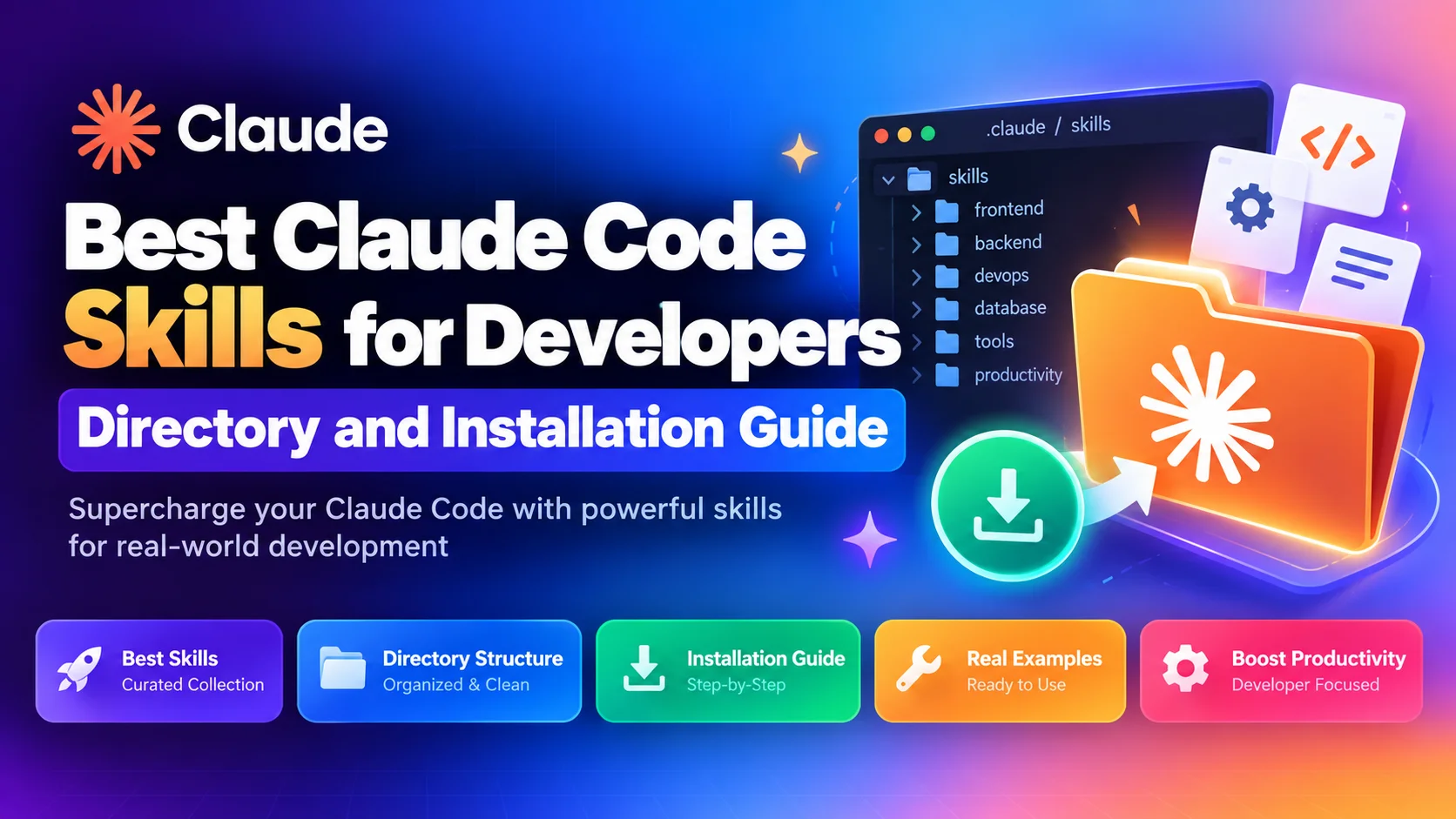
Here is a curated guide to the best Claude Code skills for software engineering in 2026, how skills differ from MCP servers, and how to install them into your workflow.
What Is a Claude Code Skill?
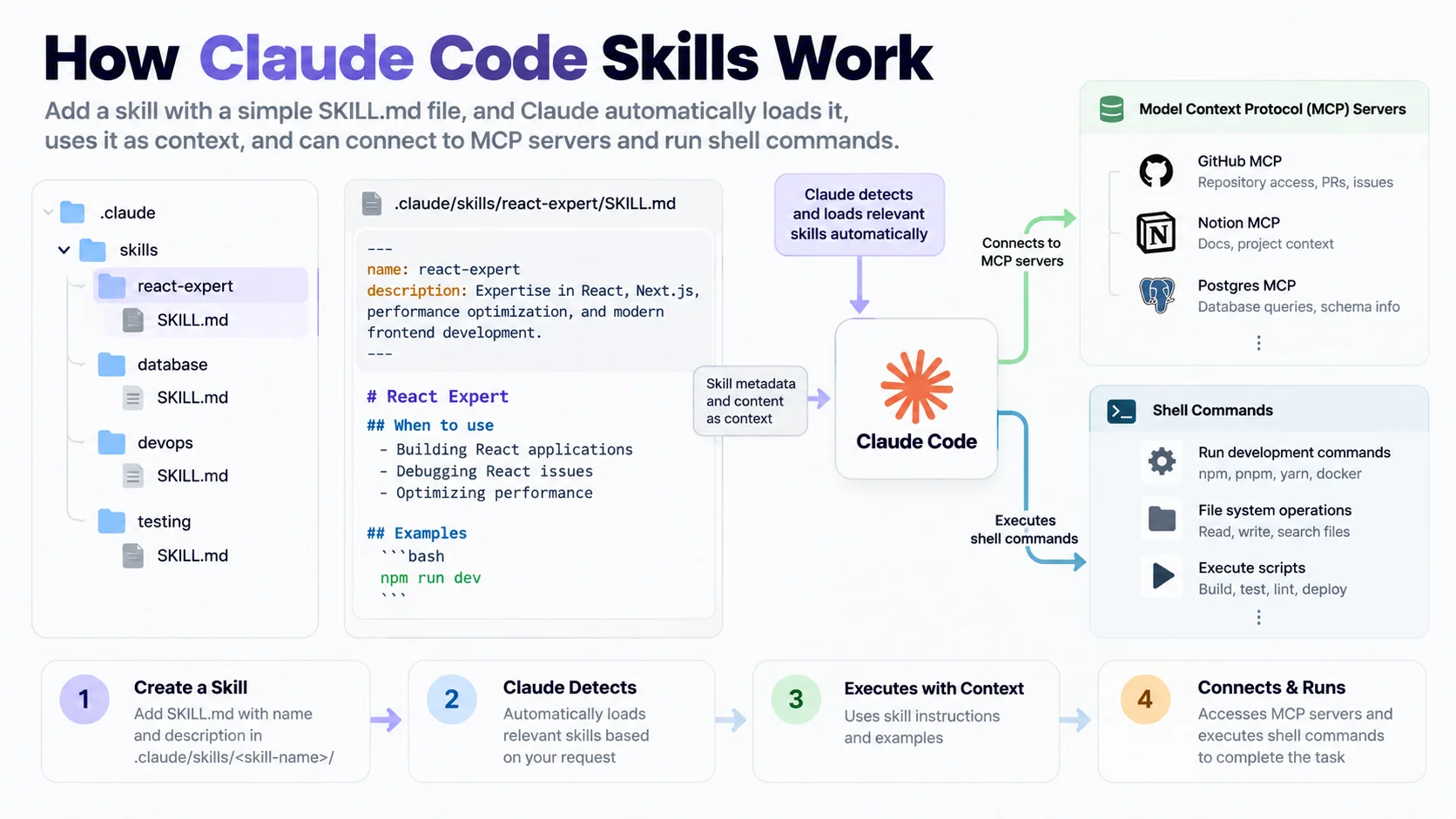
Direct Answer: A project skill is a Markdown instruction file at
.claude/skills/<skill-name>/SKILL.md, optionally accompanied by scripts and other resources. It describes a reusable task or workflow for Claude Code. A skill can request verification steps, but the model's compliance and the resulting code still need review.
Each skill begins with YAML frontmatter containing two mandatory fields:
name: The unique identifier of the skill.description: A precise explanation of when the assistant should activate this skill.
When you start a session in Claude Code, the agent reads the descriptions of all available skills into working memory. When your task matches a skill's trigger description, Claude loads the full instructions and follows its declared methodology step by step.
---
name: engineering-team-code-reviewer
description: Review a pull request or git diff for functional defects, performance bottlenecks, and security flaws.
---

# Code Review Instructions

## Prerequisites
- A clean git working directory or target diff.

## Method
1. Inspect git diff using `git diff HEAD~1`.
2. Trace modified functions to their callers.
3. Check for unhandled nulls, uncaught rejections, and missing indices.

## Output
Produce a structured review citing file paths and exact line numbers.
If you are evaluating whether to run Claude Code in your terminal or use an editor like Cursor, read our detailed comparison of Claude Code vs Cursor.
Skills vs Prompts vs MCP Servers: What Is the Difference?
Developers often confuse skills, prompts, and Model Context Protocol (MCP) servers. They serve distinct architectural roles in an agentic coding environment:
Component | What it is | Where it lives | Primary purpose |
|---|---|---|---|
Prompt | A one-off instruction string | Chat input or shell argument | Guiding an individual request |
Skill | A persistent, trigger-activated workflow |
| Standardizing multi-step procedures |
MCP Server | An external protocol process | Local background process or container | Providing tools (database queries, API calls, browser control) |
An MCP server gives Claude hands to touch external services, such as querying a PostgreSQL database or fetching GitHub issues. A skill gives Claude the brain to use those tools responsibly, such as mandating an EXPLAIN ANALYZE before running complex queries.
Top 5 Claude Code Skills for Developers
These five workflow patterns address common development tasks. Adapt them to your repository and verify their behavior rather than treating the instructions as a model-performance guarantee.
1. Test-Driven Development (TDD) Runner
Primary task: Implementing new features using strict test-driven development.
Why it matters: Autonomous agents tend to write implementation code and tests simultaneously, frequently producing tests that pass trivially without catching regressions.
Skill workflow:
Reads the feature requirements.
Writes a failing unit test in your test framework (Jest, Vitest, Pytest, Go test).
Executes the test suite to verify that the test fails for the expected reason.
Writes the minimal implementation code to turn the test green.
Refactors while keeping all tests passing.
2. Concrete Defect Code Reviewer
Primary task: Reviewing local diffs or pull requests before merging.
Why it matters: Generic AI reviews waste time on cosmetic opinions like variable naming or comment formatting.
Skill workflow:
Runs
git diff main...HEADto inspect changes.Ignores styling and focuses on runtime hazards: unhandled async errors, missing transaction rollbacks, SQL injection risks, and broken cache invalidation.
Demands code evidence: every finding must cite the exact file path and line range with a reproducible counterexample.
3. PostgreSQL MCP Safe Query Connector
Primary task: Investigating production schemas and running diagnostic database queries.
Why it matters: Giving an AI agent direct database access is risky without strict execution guardrails.
Skill workflow:
Connects through a local PostgreSQL MCP server.
Enforces read-only transactions (
SET TRANSACTION READ ONLY).Automatically wraps complex queries in
EXPLAIN ANALYZEto check execution plans.Rejects any
DROP,TRUNCATE, orALTERcommand unless explicitly confirmed by a developer.
4. Systematic Root-Cause Debugger
Primary task: Diagnosing intermittent test failures and production stack traces.
Why it matters: When code fails, agents often make random edits hoping something fixes the bug, obscuring the original defect.
Skill workflow:
Formulates a concrete hypothesis based on the stack trace.
Adds isolated reproduction tests or logging probes.
Re-runs the test suite to observe the isolated failure.
Resolves the underlying flaw without introducing unrelated refactoring.
Removes all temporary logging before staging the fix.
5. Git Commit and Branch Organizer
Primary task: Cleaning up local git branches and formatting release commits.
Why it matters: Long coding sessions leave behind messy commit logs like "fix bug", "wip", and "test".
Skill workflow:
Inspects staged changes using
git diff --cached.Groups changes into atomic commits following Conventional Commits format (
feat:,fix:,perf:,refactor:).Writes concise commit messages explaining why the change was made, not just what changed.
Verifies that the test suite passes before every commit.
How to Install Claude Code Skills
You can install skills into your repository manually or using the Thrive CLI. You can also explore our full catalog of verified agent skills.
Option A: Install via Thrive CLI (Recommended)
Thrive provides an open-source installer that fetches verified skill packages and places them directly into your agent directory:
# Install into the default Claude directory (.claude/skills/)
npx usethrive add engineering-team-code-reviewer --agent claude

# Install for both Claude Code and Codex environments
npx usethrive add engineering-team-code-reviewer --agent both
The CLI verifies file checksums, creates the required folder structure, and ensures that relative dependencies remain intact.
Option B: Manual Installation
To install a skill manually:
Create the skill directory in your project root:
mkdir -p .claude/skills/engineering-team-code-reviewerCreate
SKILL.mdinside that directory and add the frontmatter and instructions:
---
name: engineering-team-code-reviewer
description: Review a local git diff for concrete defects and security risks.
---

# Instructions
...
Commit the directory to your git repository so the whole team benefits:
git add .claude/skills/
git commit -m "chore: add engineering code reviewer skill for Claude Code"
If your team also uses Cursor alongside Claude Code, you can align both tools by adding production-ready Cursor rules for Next.js, React, and FastAPI.
How to Verify That a Skill Is Active
Once installed, verify that Claude Code recognizes the skill:
Launch Claude Code in your terminal:
claudeAsk Claude to list its active skills:
> What skills are currently available in this repository?Claude will inspect .claude/skills/ and display the registered names and triggering descriptions.
Trigger the skill naturally:
claude "Review the diff between my current branch and main."Claude Code will automatically detect that the task matches the code reviewer's trigger description and follow the specified method.
Best Practices for Writing Custom Skills
If you build custom skills for your engineering team, keep these four rules in mind:
Keep descriptions trigger-focused: The
descriptionfield in frontmatter should describe when Claude should invoke the skill, not a marketing summary. Use action verbs like "Use this skill when..." or "Triggered when debugging...".Mandate verification steps: Never let a skill end by simply editing code. Always instruct the agent to run a compiler, linter, or test command to prove that the change works.
Set clear stopping conditions: Define what the agent should do if a task cannot be solved within three attempts, preventing infinite execution loops.
Preserve sensitive paths: Instruct the agent never to inspect
.env, production secrets, or private credential directories.
Summary Checklist
Objective | Recommended Approach |
|---|---|
Standardize PR code reviews | Install |
Prevent brittle test suites | Adopt |
Safe production database lookups | Combine PostgreSQL MCP with safe query skills |
Rapid installation across teams | Use |
Browse community skills | Explore the Thrive Skills Directory |
Use skills to make your team's procedures available to the selected model, then review its changes and run the appropriate checks. A current model and a well-written skill are inputs to that process, not evidence that the output is correct.