Obsidian agent skills give a coding agent guidance for the formats and tools in an Obsidian vault. Steph Ango's obsidian-skills repository includes skills for Markdown notes, Bases, JSON Canvas, the Obsidian CLI, and web extraction. Install the one that matches the work you want the agent to do, then check the resulting files in your vault.
These are instructions for an agent. Installing a skill does not install Obsidian, connect a private vault, or grant access to your notes. Decide which vault or folder the agent may use before asking it to make changes.
Choose a skill by the output you need
Task | Thrive skill | Output or dependency |
|---|---|---|
Write linked notes with properties and callouts |
| |
Organize notes into filtered views |
| |
Arrange notes and ideas spatially |
| |
Search or manage a running vault from the terminal | Enabled Obsidian CLI | |
Extract readable text from a public web page | Separate Defuddle CLI |
Start with Markdown if you mainly want better notes. Add Bases when you have properties that can support a useful view. Add Canvas when relationships or sequence matter more than a table. Installing everything at once can make it harder to identify which capability produced a result.
Install the reviewed publisher skill
From the project where your agent works, run:
npx usethrive add obsidian-markdown --agent claude
npx usethrive add obsidian-bases --agent claude
The installer copies each complete pinned publisher folder. For Codex, use --agent codex; use --agent both when that project needs both locations. Existing skill folders are left untouched. Inspect an earlier installation before deciding whether to replace it.
Thrive's catalog links to the publisher repository. Keep that distinction clear: these are Steph Ango's source skills, listed by Thrive with their provenance. The skill folder contains the reusable guidance, while your vault contains the notes you create.
Create one source note before changing a vault
Use a small disposable vault or a backed-up sample folder for the first task. Ask the agent to create one new note, show the result, and identify any links that need an existing target. Avoid starting with a bulk rename or a rewrite of every note.
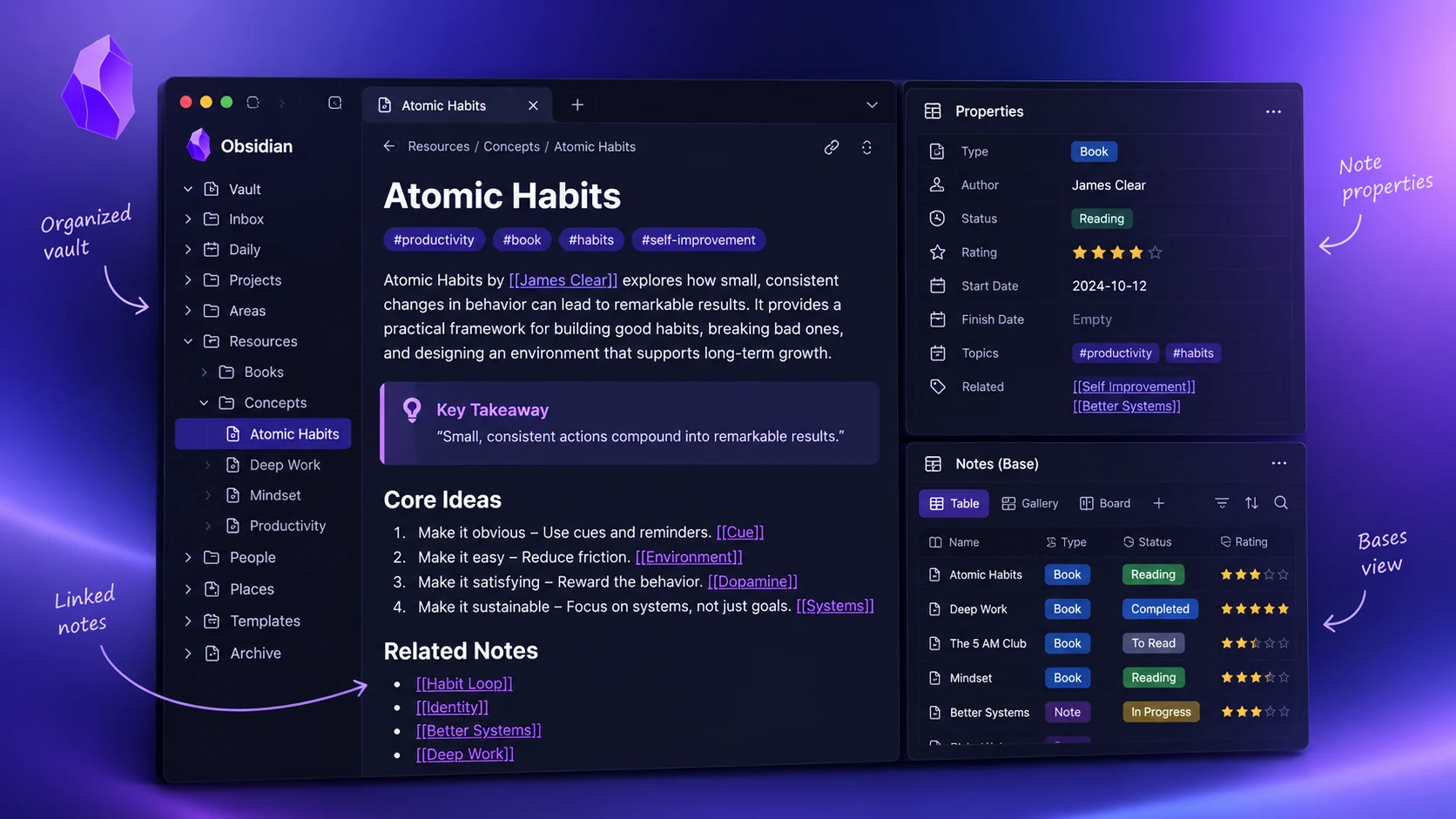
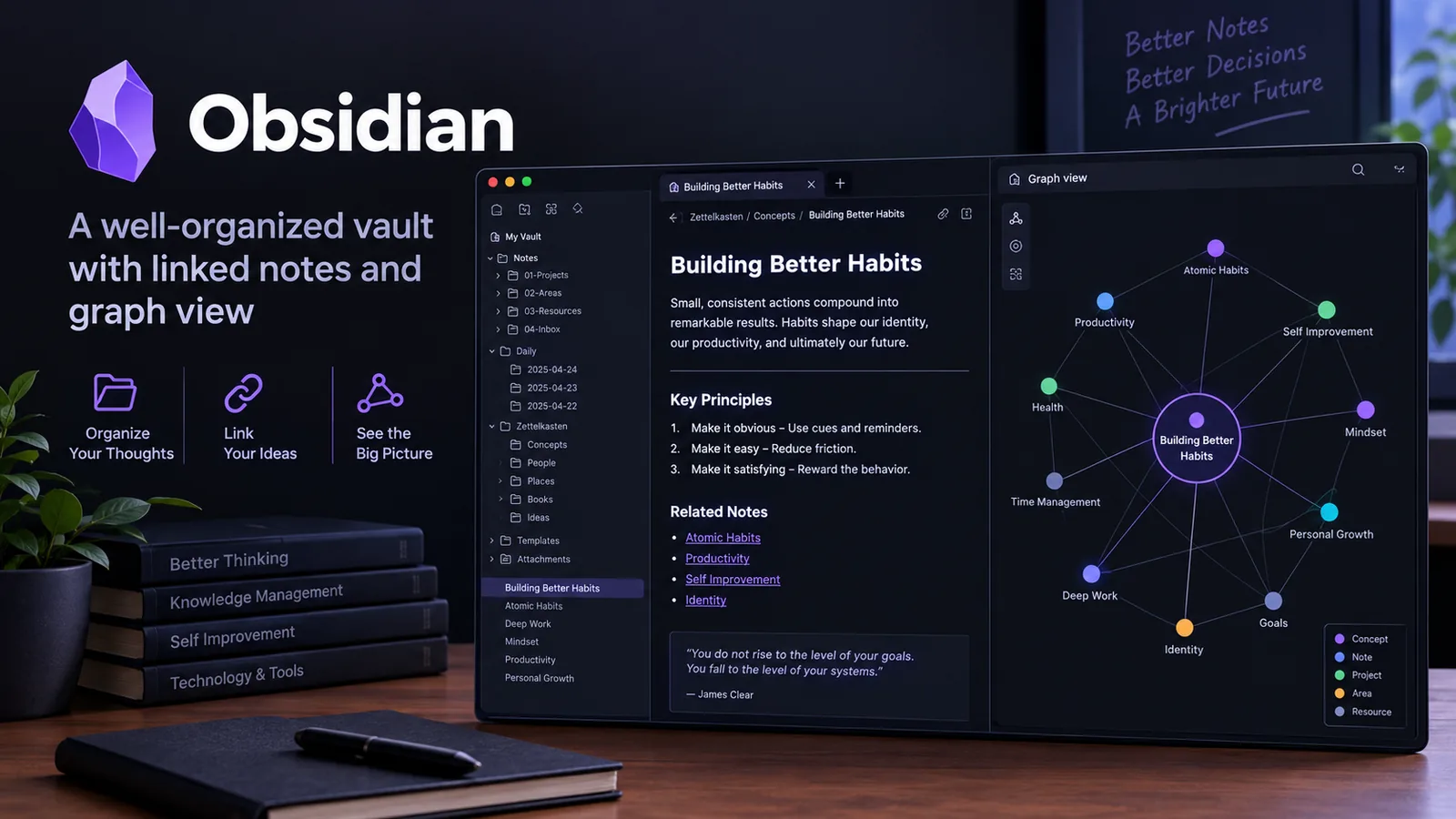
Illustrative vault layout with note properties, wikilinks, a callout, and a Bases-style view. Open the illustration at full size.
Here is a fictional project note you can adapt:
---
title: Newsletter migration
tags:
  - project
  - content
status: research
---

# Newsletter migration

## Decision to make
Choose how the archive maps into the new CMS.

## Related notes
- [[Content inventory]]
- [[Migration acceptance criteria]]

> [!warning]
> Check which source entries are drafts before importing them.
The property names are examples, not a requirement for every vault. Reuse your existing vocabulary and property types. If the vault already uses stage instead of status, make the example fit that convention rather than introducing a competing field.
Open the note in reading view. Check that the callout renders, the tags have the intended shape, and the linked note names are correct. An unresolved wikilink can be intentional when you plan to create its target, but it should not appear by accident.
Use Bases when properties carry the structure
A Base is useful when you want to view notes that share properties: active projects, reading notes, or meeting records, for example. Before asking the agent to build the view, list the properties that exist and what values they contain. A filter cannot reliably distinguish completed work if half the notes use done and the other half use complete without a mapping.
Ask for one view with a narrow purpose, such as project notes whose status is research. Specify the columns you need and the behavior for missing dates. Test it with a matching note, a non-matching note, and a note with an absent property. This checks the logic rather than only the appearance of the table.
Keep the source notes as the record of the underlying information. A well-presented view does not fix inconsistent metadata. If normalization is needed, propose the mapping and review a small sample before applying it widely.
Use Canvas for relationships and sequence
The JSON Canvas skill helps an agent create nodes and edges in a .canvas file. For a migration, you might connect an inventory note to a mapping decision, then connect that decision to a validation checklist. That graph explains which evidence led to an action.
Ask for a limited canvas before adding many nodes. Require unique IDs, valid references between edges and nodes, readable labels, and enough space to avoid overlap. Validate the JSON, then open it in Obsidian and inspect the actual arrangement. Syntax validation cannot tell you whether a node label is too small or the diagram is crowded.
File nodes should refer to real vault paths. If the agent does not know the path, have it list the missing reference instead of inventing one. Keep external source URLs separate from internal note links so readers can tell which evidence belongs to the vault.
Check the CLI prerequisites
The Obsidian CLI skill expects the desktop application's command-line interface. Obsidian's CLI documentation explains installation and enablement. Check the current application and installer requirements there, and run obsidian help to confirm the commands available on your machine.
After setup, these read-oriented examples can help you check the connection:
obsidian vault="Research" search query="migration"
obsidian vault="Research" read path="Projects/Newsletter migration.md"
Replace the sample vault and path with ones you have authorized the agent to read. Selecting a vault explicitly is useful when you have several open. Writing, renaming, and deleting notes need a clear task and a review of the affected paths; successful CLI access does not establish permission for every operation.
Keep research traceable
When adding a web reference, retain its title, URL, retrieval date, and the passages that matter to your question. Defuddle can help extract a public page into readable Markdown, but the tool must be installed separately and the output still needs review against the source.
For video notes, use the YouTube transcript preparation skill to preserve captions and timestamps before creating the note. Do not label a transcript-only summary as a review of the video's visual demonstrations.