Payload CMS skills help a coding agent work with Payload configuration, collections, fields, hooks, access control, and APIs. Payload publishes an application-development skill with supporting references for those tasks. Start by identifying the version in your project, then use the skill to make a small change you can verify.
The useful outcome is a content model and behavior that fit your application. A generated collection file is only part of that result. Editors need the right fields and permissions, your frontend needs the intended query behavior, and existing data may need a migration.
Install the publisher's development skill
The Thrive Payload CMS skill page lists the reviewed publisher source and its pinned revision. In your project, run:
npx usethrive add payload-cms --agent claudeUse --agent codex for a Codex project. The installer retrieves the complete skill folder, including its reference documents. This installs agent guidance; it does not install Payload, configure a database, or apply a migration.
The catalog entry is pinned to a revision of Payload's repository. The publisher's main branch can differ from the version in your application. Check package.json and the lockfile before copying an API example. Ask the agent to identify the installed major version and verify that the relevant documentation matches it.
For an existing application, also read the project's payload.config file, collection definitions, database adapter, and conventions for hooks and access control. A generic example should not silently replace those decisions.
Give the agent a bounded content-model task
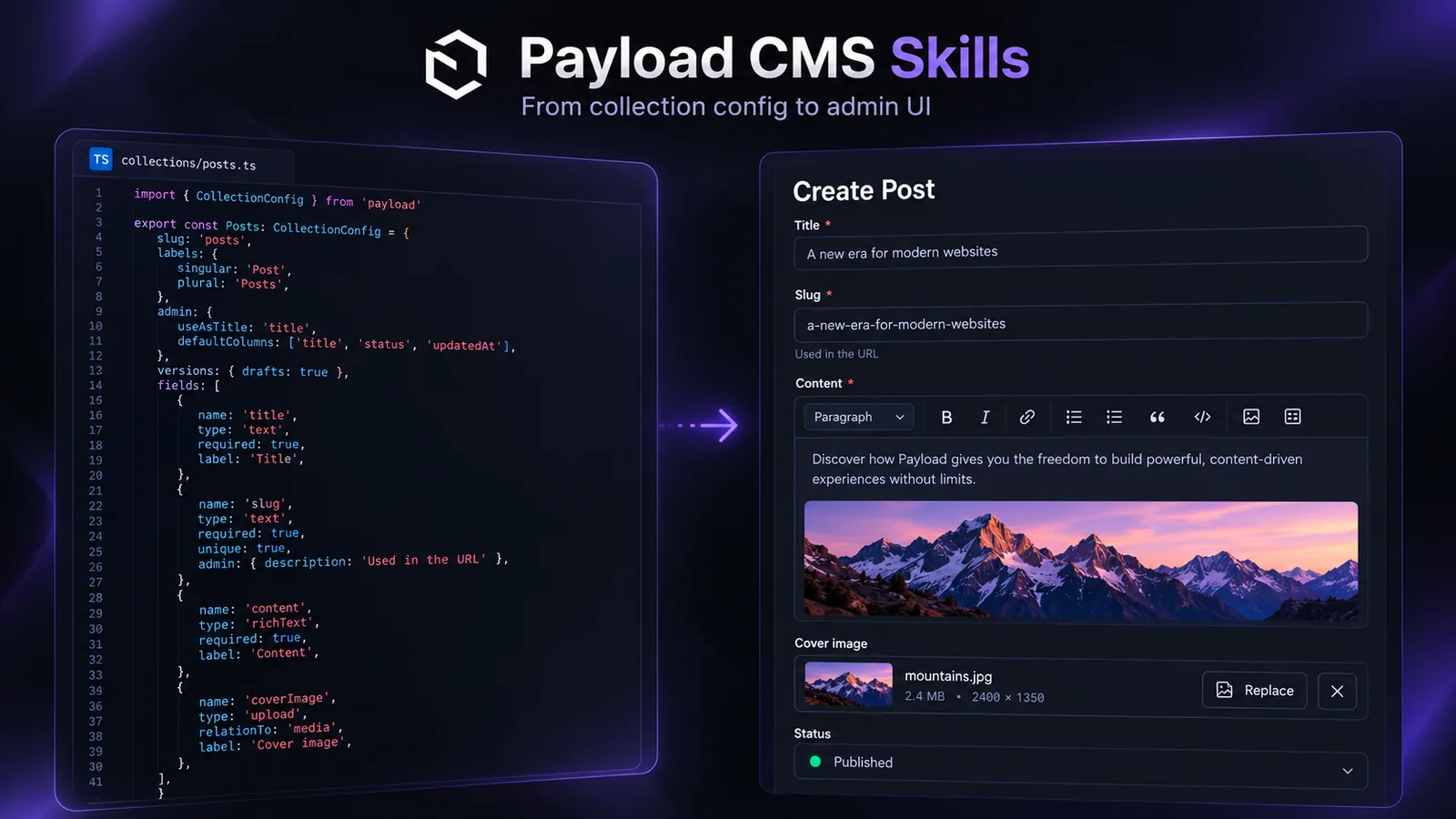
Suppose you want a Posts collection with a title, a summary, and a simple publication state. Define what editors can do and what anonymous visitors may read before writing the fields. Here is an illustrative contract:
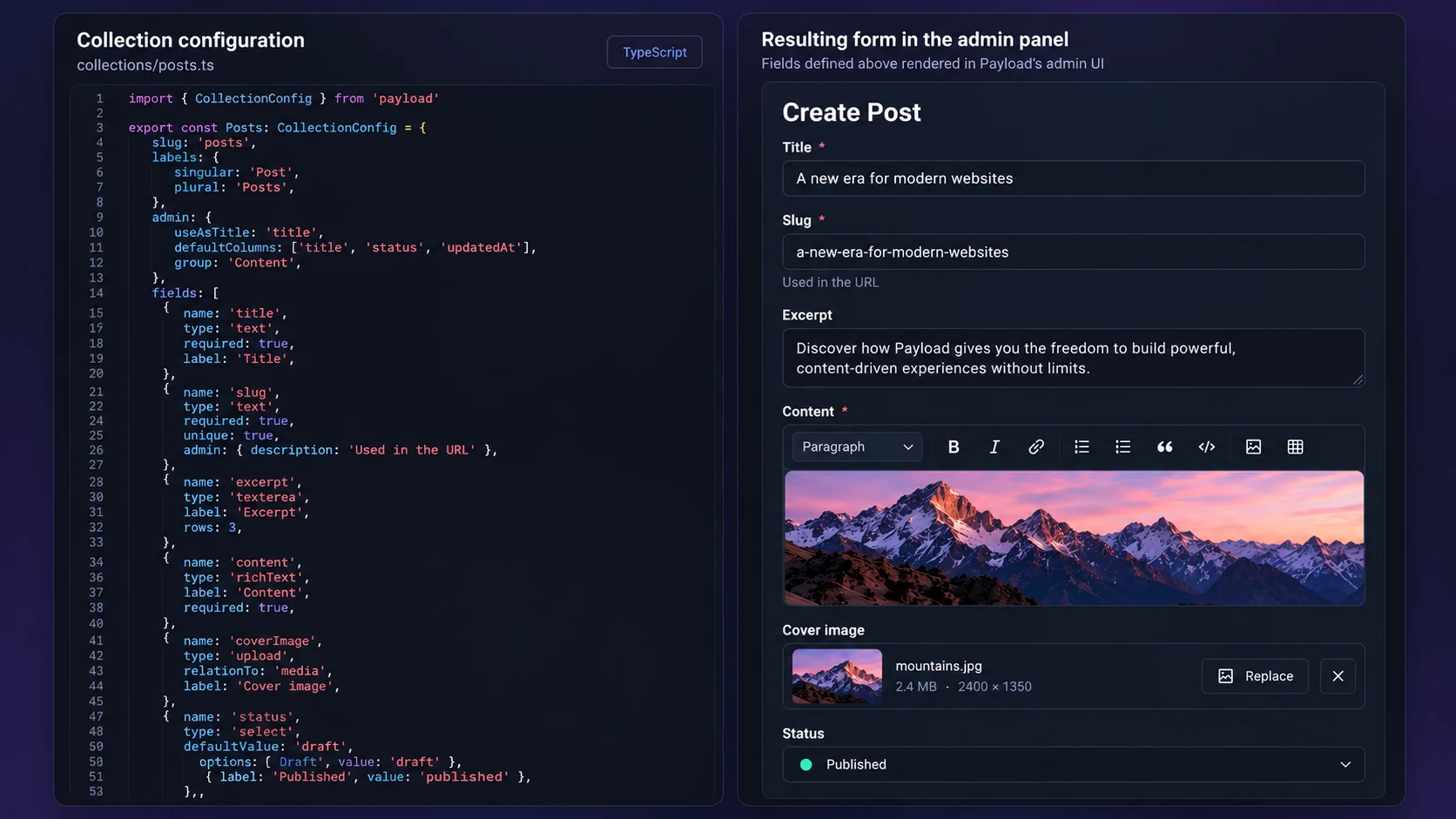
Illustrative collection configuration and editor layout; check fields and API patterns against your installed Payload version. Open the illustration at full size.
Requirement | Intended behavior | Check |
|---|---|---|
Title | Required text | Empty title is rejected |
Summary | Optional short text | Existing posts without it remain valid |
Publication state | A declared set of values | Unknown values are rejected |
Public reading | Only approved public posts | Draft data is absent from anonymous responses |
Editing | Authorized editors only | Unauthorized writes are denied |
This table describes an example, not the behavior of a finished application. If your project uses Payload's drafts and versions, use those features deliberately rather than creating a second state field that disagrees with them. Determine how your frontend queries draft and published content before choosing the model.
Start with one collection and one representative editor workflow. Review whether each field belongs on that collection or on a related document. A reusable author record, for instance, may be a relationship rather than repeated name fields if the product needs shared author information.
Read the right reference for the problem
Payload's development skill contains separate references so the agent can look up the details relevant to the task. A field change needs field and collection guidance. A permissions issue needs access-control and query guidance. A hook that writes another record needs hooks and transaction behavior.
Problem | Reference area to inspect |
|---|---|
A field validates unexpectedly | Fields and collections |
A user can see the wrong documents | Collection or field access control |
A Local API call bypasses a restriction | Queries and Local API options |
A hook repeats or loses transaction context | Hooks and request propagation |
Database behavior changes between environments | Adapters and migration configuration |
Ask for the specific source passage behind a consequential API choice. That is more useful than asking the agent to follow “all best practices,” which does not identify the behavior you need.
Verify access control through the API you use
Payload's access-control documentation explains restrictions by operation and by collection, global, or field. Test the actual entry point your application uses. Hiding a button in the admin panel does not replace an API permission check.
For Local API operations that should respect a user's permissions, Payload documents the user and overrideAccess: false options. A query can have this shape:
const visiblePosts = await payload.find({
  collection: 'posts',
  user: requestingUser,
  overrideAccess: false,
  limit: 10,
})
This is an integration fragment, not a runnable standalone program. It assumes an initialized payload instance, a declared posts collection, and a user resolved by your application's authentication flow. Check those assumptions and the installed version before applying it.
Test an authorized user, an unauthorized user, and an anonymous request if the operation is public. Confirm both the response and the resulting stored data for writes. A successful query by an administrator does not prove that a visitor cannot read drafts.
Treat hooks and migrations as behavior changes
A hook can modify the original document or cause other writes. Describe when it should run, what it changes, and how it behaves when called repeatedly. Where the publisher's documentation requires passing the request context into another operation, preserve that context so related work uses the intended transaction.
For an example such as generating a slug from a title, consider whether editing a title should change an existing public URL. A newly generated value may look correct in the editor while breaking inbound links. Choose the behavior your product needs, then verify a new record and an existing record.
A schema change may also need a database migration. Have the agent produce and inspect the relevant migration using your adapter's documented workflow. Test it on representative data before a production change. Record how missing fields and existing values are handled rather than assuming a typecheck covers the stored records.
Give editors a small acceptance check
Open the collection in the admin panel and complete the intended workflow: create, edit, save a draft if supported, and publish using the approved permissions. Check labels and validation messages with the people who use them. Then query the public content through the frontend's actual API path.
Record the commands and outcomes that were checked. If no database or test account was available, say which behavior remains unverified. Do not describe an application as secure because the configuration compiles.
For a multi-session migration, the Planning with Files skill can keep field mappings, decisions, and test results together. Use the plan to track evidence; use Payload's tests and runtime checks to establish the application's behavior.