Planning with Files is an agent skill by Ahmad Adi that keeps a task's plan, findings, and progress in project files. Use it when a coding or research task lasts long enough that a fresh conversation would otherwise need to reconstruct earlier decisions. The files give the agent a record it can read and update; their usefulness depends on keeping them accurate.
The practical starting point is three Markdown files: task_plan.md, findings.md, and progress.md. Give each a distinct job. A plan tracks what remains, findings explain what was learned, and progress records what actually happened. Putting the same paragraph in all three makes recovery harder.
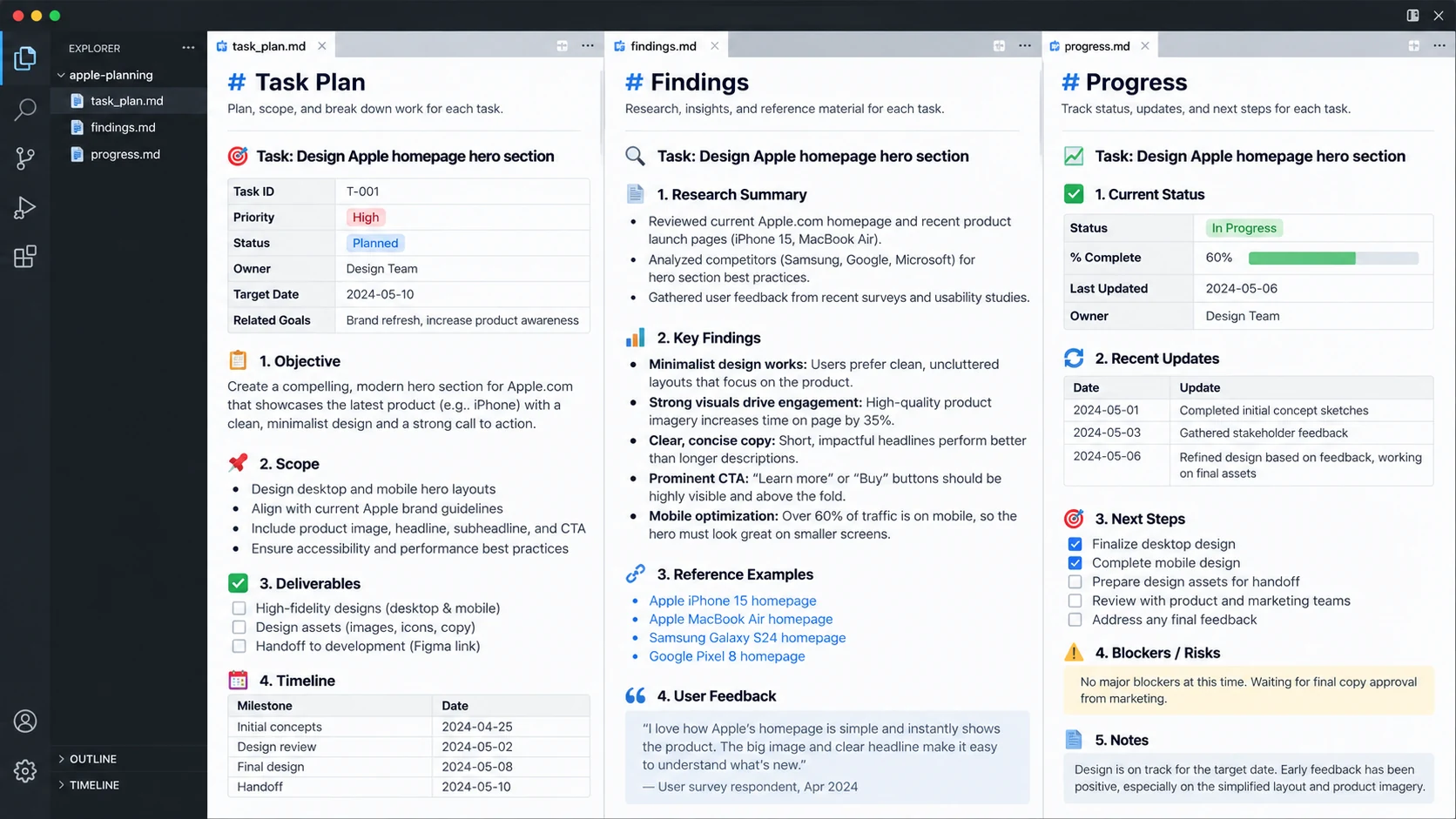
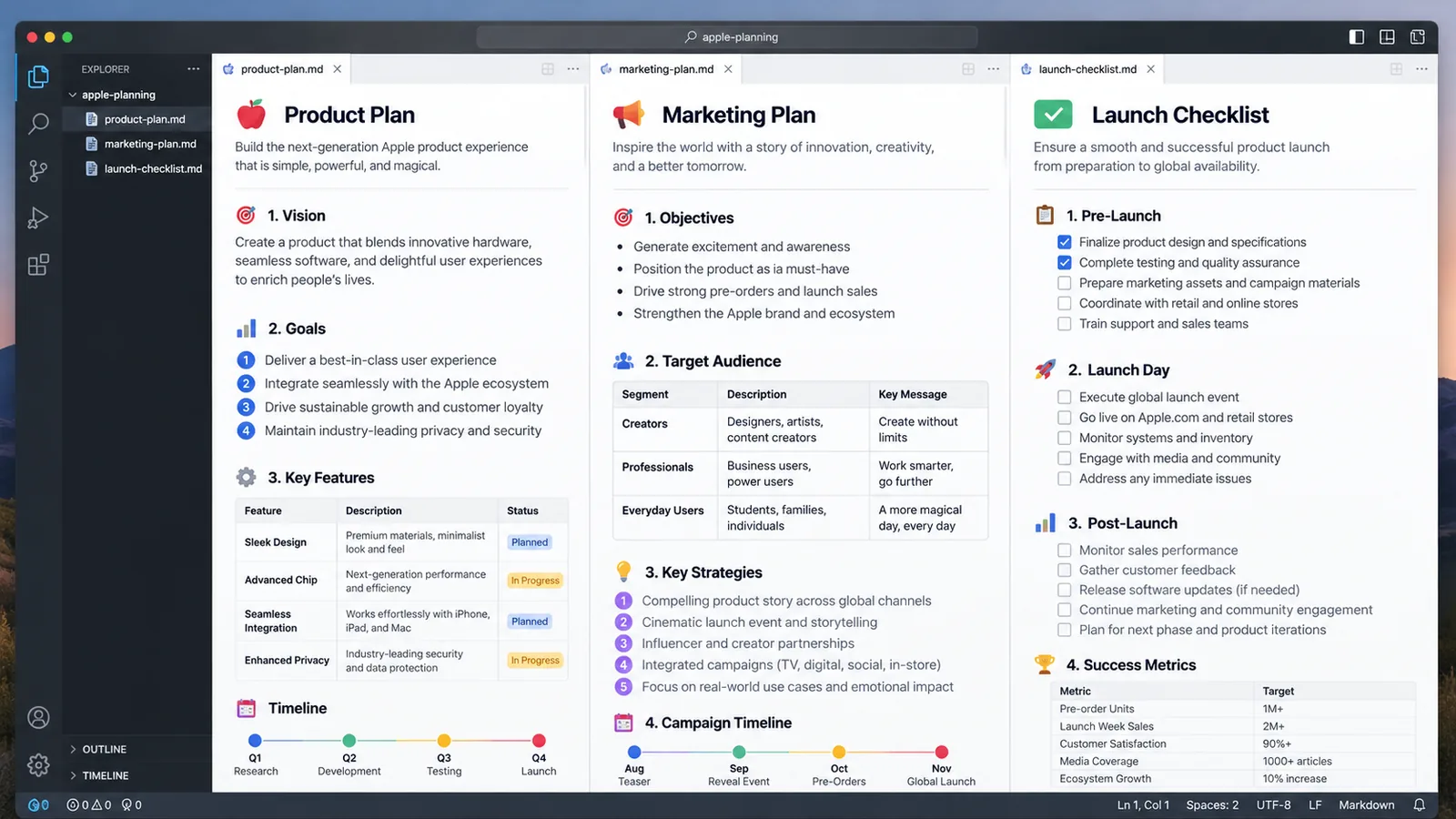
Fictional Apple planning example; the quoted feedback and percentages are illustrative. Open the illustration at full size.
Install the complete skill folder
The Thrive Planning with Files skill page provides the reviewed publisher source. Install it in your project:
npx usethrive add planning-with-files --agent claudeFor Codex, change --agent claude to --agent codex. The installer copies the complete pinned skill folder, including templates and scripts. It leaves an existing installation untouched, so review an installed copy before replacing it.
A skill installation and a host plugin installation are different operations. The publisher also provides integrations for lifecycle hooks and task recovery. Copying a folder does not automatically register every host's plugin-level hooks. If you want those integrations, follow the publisher's installation documentation for your actual agent and operating system.
Keep the installed skill separate from the project planning files. The installed folder holds reusable scripts and templates. The task directory holds the records of your current work. The publisher's current workflow can select a task directory; use its initializer and printed task identity when that mode is enabled, rather than assuming every task writes into the project root.
Give each file a useful purpose
File | Put here | Avoid putting here |
|---|---|---|
| The objective, phases, acceptance criteria, and next action | A transcript of every tool call |
| Evidence, source links, constraints, and decision reasons | An unsupported conclusion presented as a fact |
| Completed steps, actual test outcomes, and unresolved failures | Planned checks described as completed |
For a short edit, these files can create more work than they save. A correction to one heading rarely needs a recovery system. A migration, multi-source investigation, or feature with several dependencies is a better candidate because the next action depends on earlier evidence.
Example: plan a small content migration
Suppose you are moving a newsletter archive into a CMS. You need to map titles, dates, tags, and body content without publishing private drafts. Start with a plan that defines the result and the checks:
# Newsletter archive migration

## Objective
Import the approved public archive and preserve draft visibility.

## Phases
- [ ] Inventory source records and classify their visibility.
- [ ] Map source fields to the target content model.
- [ ] Import a small sample and check formatting.
- [ ] Import the approved remaining records.
- [ ] Verify counts, visibility, and representative links.

## Acceptance criteria
- Source and imported approved-record counts match.
- Draft records have no public snapshot.
- Sample links, headings, and publication dates are preserved.

## Next step
Inspect five representative source records before writing the mapper.
The sample is a planning template, not a claim that any migration has been completed. Replace its checks with those required by your source and target systems. If a mapping needs a decision from the editor, record the dependency instead of letting the agent guess.
In findings.md, explain a mapping decision with evidence. For example, “The export contains published_at only for published entries; retain a missing value for drafts” is useful if you observed it in the export. Record the inspected file and the relevant fields. Do not write that conclusion merely because it sounds plausible for a CMS.
In progress.md, record the actual sample result. “Imported five records; one embedded video needs a separate conversion rule” tells the next session what remains. “Migration looks good” does not provide enough information to continue safely.
Recover after a context reset
Ask the agent to read the selected task's three files and report the current phase, unresolved decisions, and next action before editing. Compare that account with the repository and any external system the task uses. A Markdown checkbox can be stale; an agent should verify the relevant artifact before relying on it.
If the plan says tests passed, the progress record should identify the command and result. If it says a deployment is complete, retain the deployment identifier or URL. Keep secrets out of these files, especially when the repository is shared. Record credential names and access requirements rather than copying tokens.
The publisher includes session-recovery tools with explicit modes. Use the mode appropriate to the task and the host. Do not treat access to a project directory as permission to collect unrelated local conversation records. A project plan is often enough to restore the task's useful context.
Prevent stale plans and competing edits
Update the plan after a phase changes, and give the next step a concrete verb: inspect, compare, implement, or verify. A vague instruction such as “continue development” leaves a fresh session to reconstruct the decision again.
When several agents contribute, choose one owner for the shared plan. Other agents can report through their assigned files or messages. That makes it easier to reconcile a completed task with a newly discovered failure. Independent agents rewriting the same status document can accidentally hide each other's work.
Before closing the task, check the acceptance criteria against the output. Leave unresolved items visible. Planning with Files improves the continuity of an agent's work; it does not establish correctness merely because its completion script accepts a plan.
What to try first
Install the skill for a task you already expect to span several sessions. Start with a brief objective, a few phases, and one verifiable next action. After the first session, open the files yourself and check whether another person could continue from them. Missing decisions or vague status entries show you what to improve before the task gets larger.
For workflows that also produce research notes, see the Obsidian Markdown skill. Keep project execution records and personal reference notes separate when they have different owners or privacy requirements.