La version courte
- Une page de destination doit aider le visiteur à comprendre une offre et à choisir l’étape suivante. Ces prompts précisent le public, les preuves et la structure adaptative avant de travailler la présentation.
- Les écrans générés sont des points de départ. Testez-les avec du contenu réel, au clavier, sur petit écran et auprès des personnes qui les utiliseront. Une présentation soignée ne prouve pas que l’interface est facile à utiliser.
Une page de destination doit aider le visiteur à comprendre une offre et à choisir l’étape suivante. Ces prompts précisent le public, les preuves et la structure adaptative avant de travailler la présentation.
Les écrans générés sont des points de départ. Testez-les avec du contenu réel, au clavier, sur petit écran et auprès des personnes qui les utiliseront. Une présentation soignée ne prouve pas que l’interface est facile à utiliser.
Comment utiliser cette collection
Choisissez la tâche la plus proche de votre travail. Copiez le prompt, remplacez la scène ou le contexte générique par vos informations et conservez les contraintes utiles pour évaluer le résultat. Modifiez une variable à la fois afin d’identifier ce qui s’améliore.
Cette méthode reprend les recommandations du guide de Figma First Draft : fournir un contexte précis et vérifier la réponse, sans supposer qu’un premier résultat soigné est correct.
Prompts pour décrire la tâche
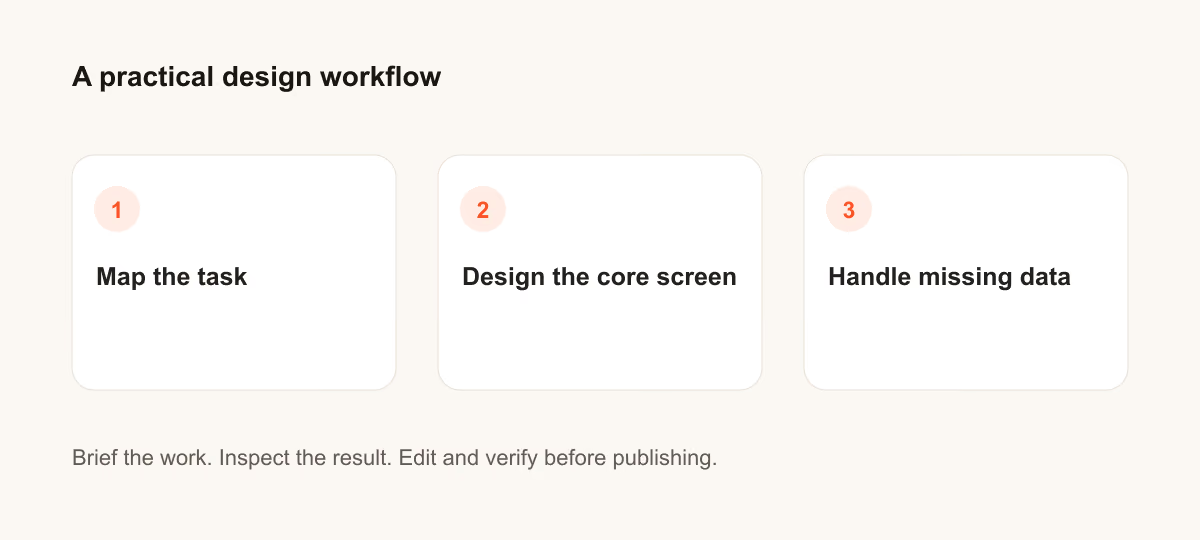
Pour décrire la tâche, précisez l’utilisateur et la décision que l’écran doit aider à prendre.
1. Le lancement d’une API pour développeurs
Design a developer API launch for a person who needs to finish one task quickly. State the audience and task you are assuming. Then show the user goal, entry point, essential action and success state in a low-fidelity flow. Use realistic labels and content lengths, with no invented metrics or testimonials. Describe the information hierarchy, mobile adaptation and next action. Explain one tradeoff and how you would check it with users.Vérification : Un nouvel utilisateur peut-il identifier l’action suivante sans lire une infobulle ?
2. Une application d’apprentissage des langues
Design a language-learning app for a person who needs to finish one task quickly. State the audience and task you are assuming. Then show the user goal, entry point, essential action and success state in a low-fidelity flow. Use realistic labels and content lengths, with no invented metrics or testimonials. Describe the information hierarchy, mobile adaptation and next action. Explain one tradeoff and how you would check it with users.Vérification : Un nouvel utilisateur peut-il identifier l’action suivante sans lire une infobulle ?
3. Un service local de réparation de vélos
Design a local bike repair service for a person who needs to finish one task quickly. State the audience and task you are assuming. Then show the user goal, entry point, essential action and success state in a low-fidelity flow. Use realistic labels and content lengths, with no invented metrics or testimonials. Describe the information hierarchy, mobile adaptation and next action. Explain one tradeoff and how you would check it with users.Vérification : Un nouvel utilisateur peut-il identifier l’action suivante sans lire une infobulle ?
4. Une inscription à une newsletter
Design a newsletter signup for a person who needs to finish one task quickly. State the audience and task you are assuming. Then show the user goal, entry point, essential action and success state in a low-fidelity flow. Use realistic labels and content lengths, with no invented metrics or testimonials. Describe the information hierarchy, mobile adaptation and next action. Explain one tradeoff and how you would check it with users.Vérification : Un nouvel utilisateur peut-il identifier l’action suivante sans lire une infobulle ?
5. Une page de dons d’association
Design a nonprofit donation page for a person who needs to finish one task quickly. State the audience and task you are assuming. Then show the user goal, entry point, essential action and success state in a low-fidelity flow. Use realistic labels and content lengths, with no invented metrics or testimonials. Describe the information hierarchy, mobile adaptation and next action. Explain one tradeoff and how you would check it with users.Vérification : Un nouvel utilisateur peut-il identifier l’action suivante sans lire une infobulle ?
6. Un modèle de productivité
Design a productivity template for a person who needs to finish one task quickly. State the audience and task you are assuming. Then show the user goal, entry point, essential action and success state in a low-fidelity flow. Use realistic labels and content lengths, with no invented metrics or testimonials. Describe the information hierarchy, mobile adaptation and next action. Explain one tradeoff and how you would check it with users.Vérification : Un nouvel utilisateur peut-il identifier l’action suivante sans lire une infobulle ?
7. Une liste d’attente pour un cours
Design a course waitlist for a person who needs to finish one task quickly. State the audience and task you are assuming. Then show the user goal, entry point, essential action and success state in a low-fidelity flow. Use realistic labels and content lengths, with no invented metrics or testimonials. Describe the information hierarchy, mobile adaptation and next action. Explain one tradeoff and how you would check it with users.Vérification : Un nouvel utilisateur peut-il identifier l’action suivante sans lire une infobulle ?
8. Un portfolio créatif
Design a creative portfolio for a person who needs to finish one task quickly. State the audience and task you are assuming. Then show the user goal, entry point, essential action and success state in a low-fidelity flow. Use realistic labels and content lengths, with no invented metrics or testimonials. Describe the information hierarchy, mobile adaptation and next action. Explain one tradeoff and how you would check it with users.Vérification : Un nouvel utilisateur peut-il identifier l’action suivante sans lire une infobulle ?
9. Un café de quartier
Design a neighborhood cafe for a person who needs to finish one task quickly. State the audience and task you are assuming. Then show the user goal, entry point, essential action and success state in a low-fidelity flow. Use realistic labels and content lengths, with no invented metrics or testimonials. Describe the information hierarchy, mobile adaptation and next action. Explain one tradeoff and how you would check it with users.Vérification : Un nouvel utilisateur peut-il identifier l’action suivante sans lire une infobulle ?
10. Un produit d’analyse B2B
Design a B2B analytics product for a person who needs to finish one task quickly. State the audience and task you are assuming. Then show the user goal, entry point, essential action and success state in a low-fidelity flow. Use realistic labels and content lengths, with no invented metrics or testimonials. Describe the information hierarchy, mobile adaptation and next action. Explain one tradeoff and how you would check it with users.Vérification : Un nouvel utilisateur peut-il identifier l’action suivante sans lire une infobulle ?

Prompts pour concevoir l’écran principal
Pour concevoir l’écran principal, précisez l’utilisateur et la décision que l’écran doit aider à prendre.
11. Le lancement d’une API pour développeurs
Design a developer API launch for a person who needs to finish one task quickly. State the audience and task you are assuming. Then use a clear hierarchy, realistic content lengths and one prominent primary action. Use realistic labels and content lengths, with no invented metrics or testimonials. Describe the information hierarchy, mobile adaptation and next action. Explain one tradeoff and how you would check it with users.Vérification : Vérifiez la mise en page sur ordinateur et sur un écran mobile de 360 pixels de large.
12. Une application d’apprentissage des langues
Design a language-learning app for a person who needs to finish one task quickly. State the audience and task you are assuming. Then use a clear hierarchy, realistic content lengths and one prominent primary action. Use realistic labels and content lengths, with no invented metrics or testimonials. Describe the information hierarchy, mobile adaptation and next action. Explain one tradeoff and how you would check it with users.Vérification : Vérifiez la mise en page sur ordinateur et sur un écran mobile de 360 pixels de large.
13. Un service local de réparation de vélos
Design a local bike repair service for a person who needs to finish one task quickly. State the audience and task you are assuming. Then use a clear hierarchy, realistic content lengths and one prominent primary action. Use realistic labels and content lengths, with no invented metrics or testimonials. Describe the information hierarchy, mobile adaptation and next action. Explain one tradeoff and how you would check it with users.Vérification : Vérifiez la mise en page sur ordinateur et sur un écran mobile de 360 pixels de large.
14. Une inscription à une newsletter
Design a newsletter signup for a person who needs to finish one task quickly. State the audience and task you are assuming. Then use a clear hierarchy, realistic content lengths and one prominent primary action. Use realistic labels and content lengths, with no invented metrics or testimonials. Describe the information hierarchy, mobile adaptation and next action. Explain one tradeoff and how you would check it with users.Vérification : Vérifiez la mise en page sur ordinateur et sur un écran mobile de 360 pixels de large.
15. Une page de dons d’association
Design a nonprofit donation page for a person who needs to finish one task quickly. State the audience and task you are assuming. Then use a clear hierarchy, realistic content lengths and one prominent primary action. Use realistic labels and content lengths, with no invented metrics or testimonials. Describe the information hierarchy, mobile adaptation and next action. Explain one tradeoff and how you would check it with users.Vérification : Vérifiez la mise en page sur ordinateur et sur un écran mobile de 360 pixels de large.
16. Un modèle de productivité
Design a productivity template for a person who needs to finish one task quickly. State the audience and task you are assuming. Then use a clear hierarchy, realistic content lengths and one prominent primary action. Use realistic labels and content lengths, with no invented metrics or testimonials. Describe the information hierarchy, mobile adaptation and next action. Explain one tradeoff and how you would check it with users.Vérification : Vérifiez la mise en page sur ordinateur et sur un écran mobile de 360 pixels de large.
17. Une liste d’attente pour un cours
Design a course waitlist for a person who needs to finish one task quickly. State the audience and task you are assuming. Then use a clear hierarchy, realistic content lengths and one prominent primary action. Use realistic labels and content lengths, with no invented metrics or testimonials. Describe the information hierarchy, mobile adaptation and next action. Explain one tradeoff and how you would check it with users.Vérification : Vérifiez la mise en page sur ordinateur et sur un écran mobile de 360 pixels de large.
18. Un portfolio créatif
Design a creative portfolio for a person who needs to finish one task quickly. State the audience and task you are assuming. Then use a clear hierarchy, realistic content lengths and one prominent primary action. Use realistic labels and content lengths, with no invented metrics or testimonials. Describe the information hierarchy, mobile adaptation and next action. Explain one tradeoff and how you would check it with users.Vérification : Vérifiez la mise en page sur ordinateur et sur un écran mobile de 360 pixels de large.
19. Un café de quartier
Design a neighborhood cafe for a person who needs to finish one task quickly. State the audience and task you are assuming. Then use a clear hierarchy, realistic content lengths and one prominent primary action. Use realistic labels and content lengths, with no invented metrics or testimonials. Describe the information hierarchy, mobile adaptation and next action. Explain one tradeoff and how you would check it with users.Vérification : Vérifiez la mise en page sur ordinateur et sur un écran mobile de 360 pixels de large.
20. Un produit d’analyse B2B
Design a B2B analytics product for a person who needs to finish one task quickly. State the audience and task you are assuming. Then use a clear hierarchy, realistic content lengths and one prominent primary action. Use realistic labels and content lengths, with no invented metrics or testimonials. Describe the information hierarchy, mobile adaptation and next action. Explain one tradeoff and how you would check it with users.Vérification : Vérifiez la mise en page sur ordinateur et sur un écran mobile de 360 pixels de large.
Prompts pour gérer les données manquantes
Pour gérer les données manquantes, précisez l’utilisateur et la décision que l’écran doit aider à prendre.
21. Le lancement d’une API pour développeurs
Design a developer API launch for a person who needs to finish one task quickly. State the audience and task you are assuming. Then include empty, loading and error states with recovery actions. Use realistic labels and content lengths, with no invented metrics or testimonials. Describe the information hierarchy, mobile adaptation and next action. Explain one tradeoff and how you would check it with users.Vérification : Vérifiez que l’utilisateur peut reprendre son travail sans perdre les informations saisies.
22. Une application d’apprentissage des langues
Design a language-learning app for a person who needs to finish one task quickly. State the audience and task you are assuming. Then include empty, loading and error states with recovery actions. Use realistic labels and content lengths, with no invented metrics or testimonials. Describe the information hierarchy, mobile adaptation and next action. Explain one tradeoff and how you would check it with users.Vérification : Vérifiez que l’utilisateur peut reprendre son travail sans perdre les informations saisies.
23. Un service local de réparation de vélos
Design a local bike repair service for a person who needs to finish one task quickly. State the audience and task you are assuming. Then include empty, loading and error states with recovery actions. Use realistic labels and content lengths, with no invented metrics or testimonials. Describe the information hierarchy, mobile adaptation and next action. Explain one tradeoff and how you would check it with users.Vérification : Vérifiez que l’utilisateur peut reprendre son travail sans perdre les informations saisies.
24. Une inscription à une newsletter
Design a newsletter signup for a person who needs to finish one task quickly. State the audience and task you are assuming. Then include empty, loading and error states with recovery actions. Use realistic labels and content lengths, with no invented metrics or testimonials. Describe the information hierarchy, mobile adaptation and next action. Explain one tradeoff and how you would check it with users.Vérification : Vérifiez que l’utilisateur peut reprendre son travail sans perdre les informations saisies.
25. Une page de dons d’association
Design a nonprofit donation page for a person who needs to finish one task quickly. State the audience and task you are assuming. Then include empty, loading and error states with recovery actions. Use realistic labels and content lengths, with no invented metrics or testimonials. Describe the information hierarchy, mobile adaptation and next action. Explain one tradeoff and how you would check it with users.Vérification : Vérifiez que l’utilisateur peut reprendre son travail sans perdre les informations saisies.
26. Un modèle de productivité
Design a productivity template for a person who needs to finish one task quickly. State the audience and task you are assuming. Then include empty, loading and error states with recovery actions. Use realistic labels and content lengths, with no invented metrics or testimonials. Describe the information hierarchy, mobile adaptation and next action. Explain one tradeoff and how you would check it with users.Vérification : Vérifiez que l’utilisateur peut reprendre son travail sans perdre les informations saisies.
27. Une liste d’attente pour un cours
Design a course waitlist for a person who needs to finish one task quickly. State the audience and task you are assuming. Then include empty, loading and error states with recovery actions. Use realistic labels and content lengths, with no invented metrics or testimonials. Describe the information hierarchy, mobile adaptation and next action. Explain one tradeoff and how you would check it with users.Vérification : Vérifiez que l’utilisateur peut reprendre son travail sans perdre les informations saisies.
28. Un portfolio créatif
Design a creative portfolio for a person who needs to finish one task quickly. State the audience and task you are assuming. Then include empty, loading and error states with recovery actions. Use realistic labels and content lengths, with no invented metrics or testimonials. Describe the information hierarchy, mobile adaptation and next action. Explain one tradeoff and how you would check it with users.Vérification : Vérifiez que l’utilisateur peut reprendre son travail sans perdre les informations saisies.
29. Un café de quartier
Design a neighborhood cafe for a person who needs to finish one task quickly. State the audience and task you are assuming. Then include empty, loading and error states with recovery actions. Use realistic labels and content lengths, with no invented metrics or testimonials. Describe the information hierarchy, mobile adaptation and next action. Explain one tradeoff and how you would check it with users.Vérification : Vérifiez que l’utilisateur peut reprendre son travail sans perdre les informations saisies.
30. Un produit d’analyse B2B
Design a B2B analytics product for a person who needs to finish one task quickly. State the audience and task you are assuming. Then include empty, loading and error states with recovery actions. Use realistic labels and content lengths, with no invented metrics or testimonials. Describe the information hierarchy, mobile adaptation and next action. Explain one tradeoff and how you would check it with users.Vérification : Vérifiez que l’utilisateur peut reprendre son travail sans perdre les informations saisies.
Que vérifier avant d’utiliser le résultat
Les écrans générés sont des points de départ. Testez-les avec du contenu réel, au clavier, sur petit écran et auprès des personnes qui les utiliseront. Une présentation soignée ne prouve pas que l’interface est facile à utiliser.
Si le résultat ne répond pas à la tâche, raccourcissez le prompt et précisez l’information ou la contrainte manquante. Conservez la version utilisée pour pouvoir reproduire le visuel final ou la modification du code.
Pour aller plus loin
Poursuivre avec un guide associé
Mise en pratique
Votre prochaine étape
Vous avez une question ou une correction?
Contacter Thrive