The short version
- Prompt design → Workflow controls → Reviewed action.
- Keep source evidence and review the result before using it.
Prompt engineering shapes the instructions an AI system receives. AI automation connects a model to a repeatable process: gathering inputs, making a decision, using tools, and recording the outcome. A workflow may use several prompts, but it also needs controls that a prompt cannot enforce.
Choose between them by looking at the task. If you want help rewriting a paragraph, a reviewed prompt may be enough. If you want to update a customer record every morning, you need to design access, failure handling, and a review process.
Compare the work involved
Question | Prompt engineering | AI automation |
|---|---|---|
What do you design? | Instructions, context, examples, and output format | Steps, data movement, permissions, and decisions |
What is the smallest useful test? | One input with an answer you can judge | A complete run with a recorded result |
Where do errors appear? | Missing facts, poor format, or wrong reasoning | Those errors plus broken integrations and repeated actions |
Who checks the result? | Usually the person making the request | A reviewer or a monitored review rule |
What should a portfolio show? | Prompt versions and evaluated outputs | Workflow diagram, run log, failures, and controls |
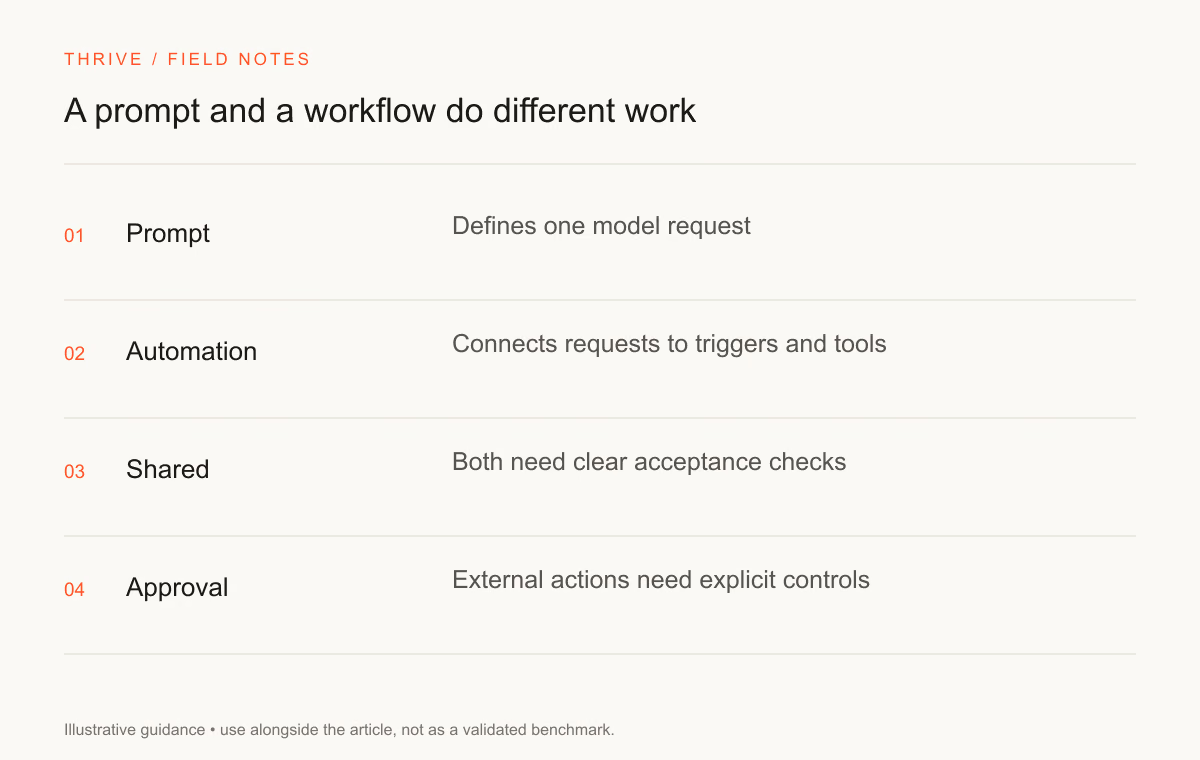
The names overlap in job descriptions. Read the responsibilities before treating a title as a separate career track. An operations role may involve writing prompts, configuring software, and reviewing results in the same week.
Work through a fictional ticket example
Suppose a support team wants to sort incoming tickets into billing, technical help, and human review. A prompt can classify a pasted message and explain its choice. The reviewer can compare the answer with the team's routing rules.
Automation adds more questions. Where does the message come from? Which fields may the model see? Can the system change the ticket owner? What happens when the ticket has already been processed? Which uncertain cases remain in the human queue?
Start with a read-only prototype that recommends a category. Compare its output with human decisions. Add a write step only after you understand the mistakes and can stop the workflow safely.
Keep a boundary around each action
Step | Proposed control | Evidence to keep |
|---|---|---|
Read the ticket | Limit access to required fields | Input schema and access policy |
Classify the request | Use defined categories and an uncertainty option | Model output and the rule used |
Update the record | Check authorization and current record version | Before-and-after values |
Handle a failure | Stop or retry according to the failed step | Error reason and retry count |
Notify a reviewer | Send a minimal summary to the approved destination | Notification status |
These are design suggestions for the fictional example. They are not a claim that Thrive operates this ticket workflow. An application must enforce its own permissions, input validation, and audit rules.
Account for retries and repeated actions
A model call may time out after an external tool has already completed a write. Retrying the whole workflow can create a duplicate record or message. Give consequential actions an identifier and check whether they have already completed.
Keep retries limited. Distinguish a temporary network failure from a rejected permission or invalid input. Repeatedly sending the same invalid request wastes resources and can obscure the original problem.
Use the automation skills hub to find relevant practice instructions. Review the scope of each skill before connecting it to a real account.
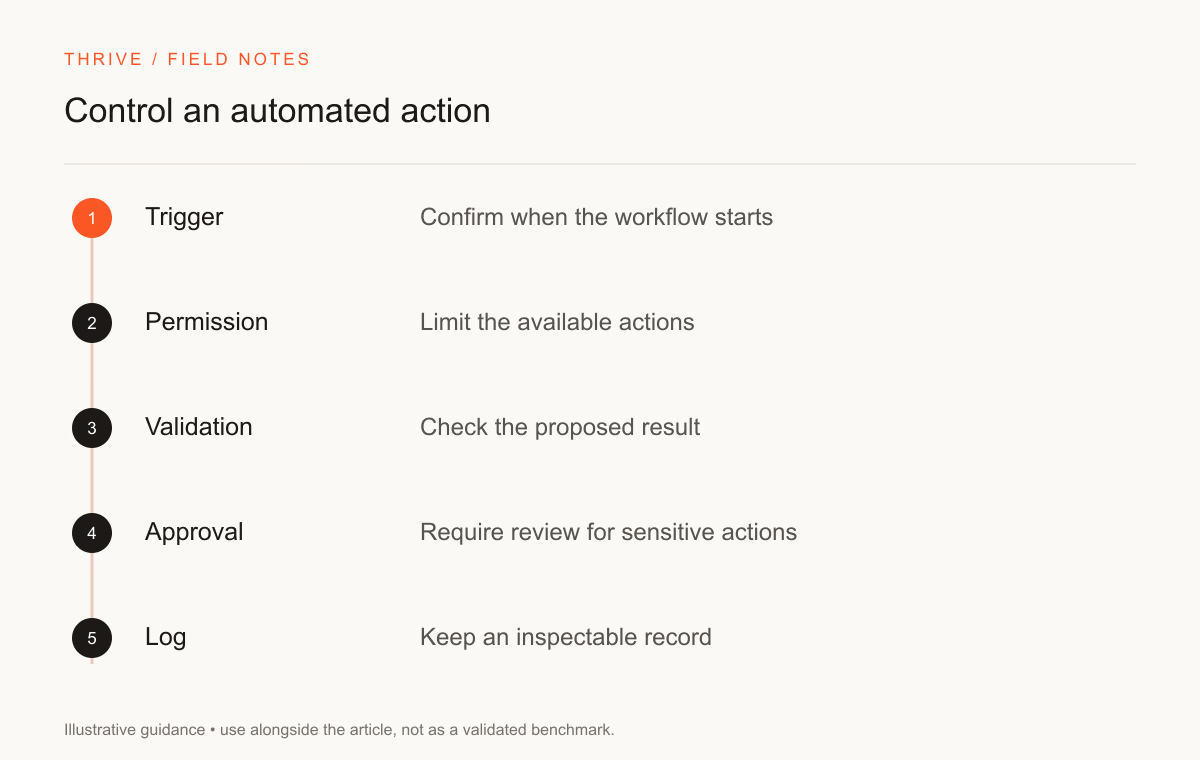
Test a workflow at the points where it can fail
Test an ordinary case, missing input, a conflicting instruction, a slow service, and a repeated event. For each case, write down the expected final state. A fluent explanation is insufficient if the workflow changes the wrong record.
The AI agents prompt can help split a task into steps. Use the model evaluation workflow to document accepted and rejected outputs. Check those instructions against your own system rather than treating a template as a completed implementation.
Choose a learning project that fits your experience
If you work in writing or research, start with a prompt that produces a traceable draft. If you work in operations, start with a documented manual process and automate one low-risk step. If you write software, build a small integration with a testable permission boundary.
Keep a diagram, a sample run, and a failure case. Explain what required human review. Those artifacts help an employer understand the work better than the phrase "built an AI agent."
Use the prompt engineering guide for instruction design and the AI career roadmap for a sequence of projects. You can describe completed work in the resume builder.
Sources and review notes
Thrive Editorial reviewed these sources on September 28, 2026. The ticket example is fictional. This article distinguishes kinds of work; it does not predict hiring demand or guarantee that a particular workflow is safe.
Put it into practice
Your next step
Have a question or a correction?
Contact Thrive