La version courte
- La caméra doit révéler un élément ou suivre une action. Ces prompts précisent le cadrage initial, le mouvement et la composition finale pour donner un rôle au déplacement.
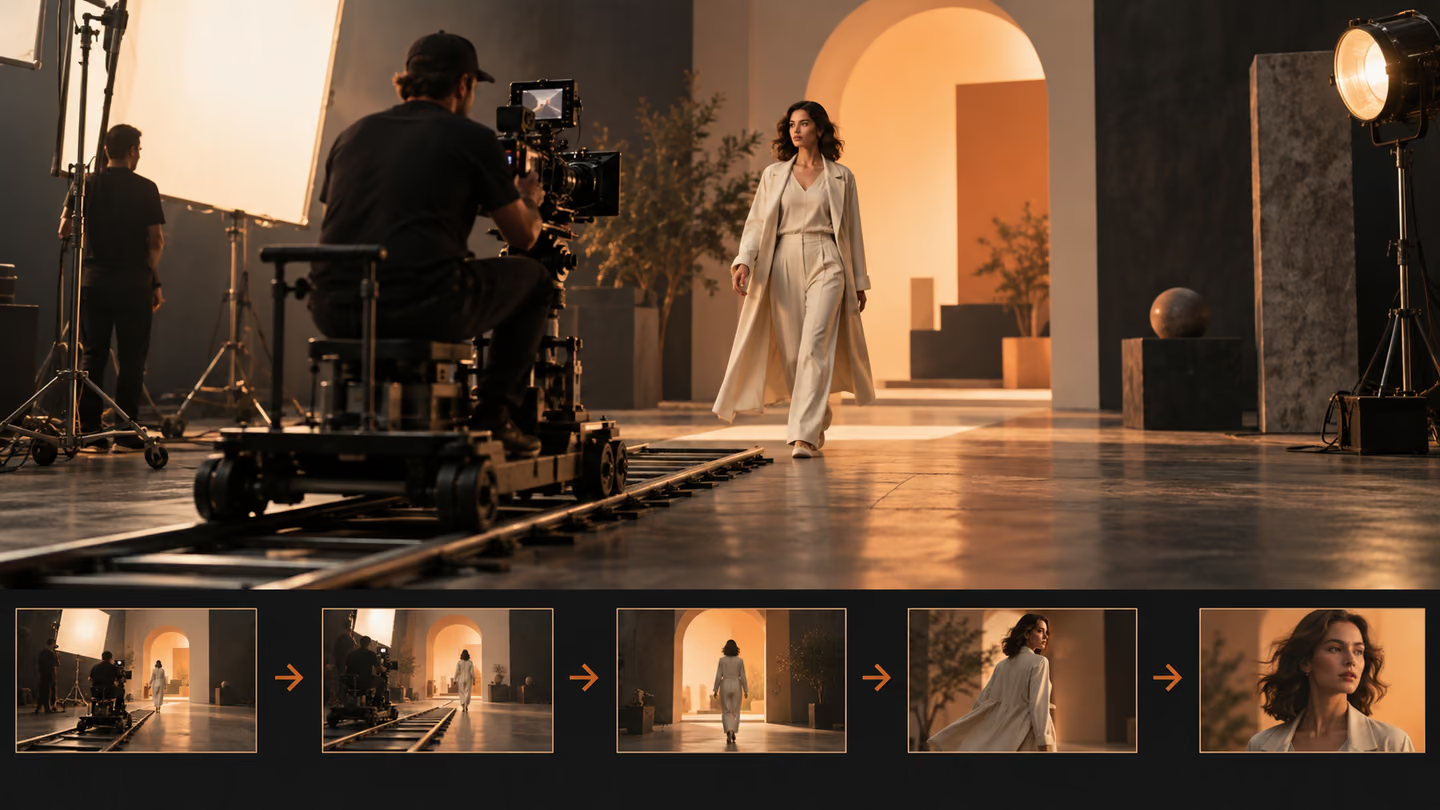
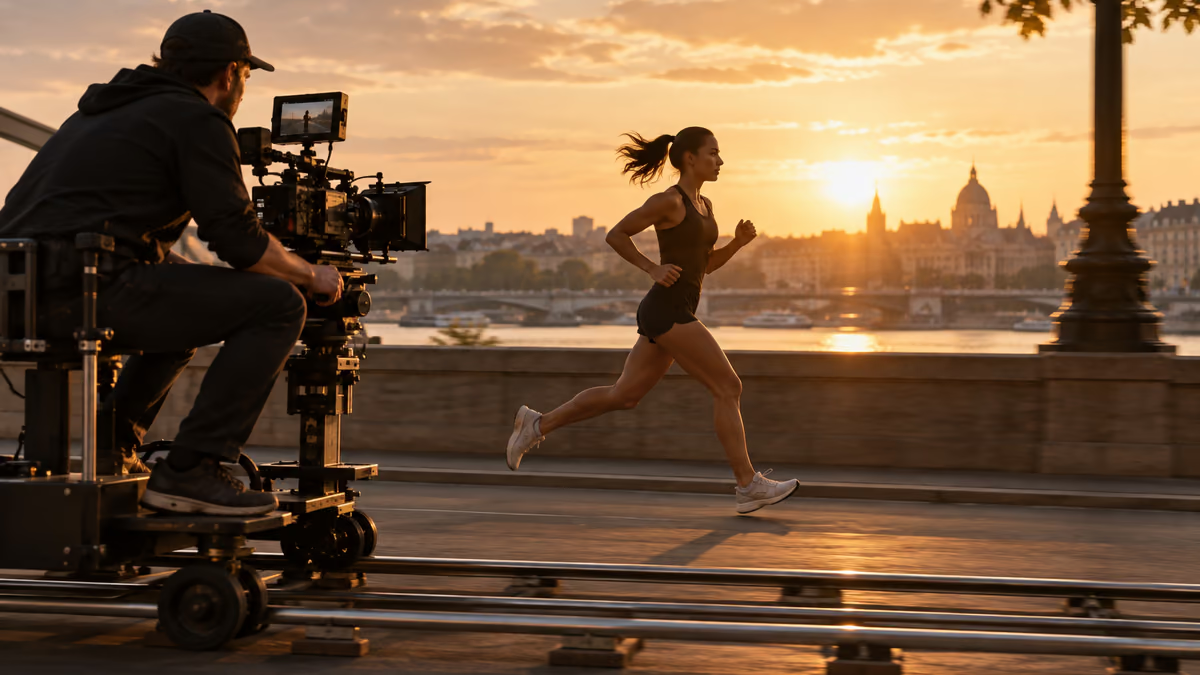
- Ces consignes décrivent des plans ; elles ne sont pas des fichiers vidéo. La prise en charge du format, de la durée, des images de référence et du son dépend du modèle. Réglez ces paramètres dans votre outil. Une image fixe générée dans ce guide illustre un cadrage ; elle ne prouve pas qu’un modèle vidéo a produit le mouvement.
La caméra doit révéler un élément ou suivre une action. Ces prompts précisent le cadrage initial, le mouvement et la composition finale pour donner un rôle au déplacement.
Ces consignes décrivent des plans ; elles ne sont pas des fichiers vidéo. La prise en charge du format, de la durée, des images de référence et du son dépend du modèle. Réglez ces paramètres dans votre outil. Une image fixe générée dans ce guide illustre un cadrage ; elle ne prouve pas qu’un modèle vidéo a produit le mouvement.
Comment utiliser cette collection
Choisissez la tâche la plus proche de votre travail. Copiez le prompt, remplacez la scène ou le contexte générique par vos informations et conservez les contraintes utiles pour évaluer le résultat. Modifiez une variable à la fois afin d’identifier ce qui s’améliore.
Cette méthode reprend les recommandations du guide de rédaction de prompts pour Google Veo : fournir un contexte précis et vérifier la réponse, sans supposer qu’un premier résultat soigné est correct.
Prompts pour présenter la scène
Présentez la scène pour donner au plan un objectif visuel clair. Gardez une seule action par clip.
1. Un travelling lent vers un atelier
Create a 16:9 widescreen shot of a slow dolly toward a workshop. Use a wide opening frame, one clear subject, a visible setting and stable horizon. Show one continuous action, not a montage. Keep the subject, geometry and light consistent. End on a composition an editor can hold or cut from. No added text, logos or abrupt morphs.Vérification : Vérifiez que le lieu et le sujet sont compréhensibles dès la première seconde.
2. Un travelling latéral à côté d’un coureur
Create a 16:9 widescreen shot of a lateral tracking shot beside a runner. Use a wide opening frame, one clear subject, a visible setting and stable horizon. Show one continuous action, not a montage. Keep the subject, geometry and light consistent. End on a composition an editor can hold or cut from. No added text, logos or abrupt morphs.Vérification : Vérifiez que le lieu et le sujet sont compréhensibles dès la première seconde.
3. Une montée de grue au-dessus d’un marché
Create a 16:9 widescreen shot of a crane rise over a market. Use a wide opening frame, one clear subject, a visible setting and stable horizon. Show one continuous action, not a montage. Keep the subject, geometry and light consistent. End on a composition an editor can hold or cut from. No added text, logos or abrupt morphs.Vérification : Vérifiez que le lieu et le sujet sont compréhensibles dès la première seconde.
4. Une traversée de couloir caméra à l’épaule
Create a 16:9 widescreen shot of a handheld walk through a hallway. Use a wide opening frame, one clear subject, a visible setting and stable horizon. Show one continuous action, not a montage. Keep the subject, geometry and light consistent. End on a composition an editor can hold or cut from. No added text, logos or abrupt morphs.Vérification : Vérifiez que le lieu et le sujet sont compréhensibles dès la première seconde.
5. Une orbite autour d’un produit sur une table
Create a 16:9 widescreen shot of a tabletop orbit around a product. Use a wide opening frame, one clear subject, a visible setting and stable horizon. Show one continuous action, not a montage. Keep the subject, geometry and light consistent. End on a composition an editor can hold or cut from. No added text, logos or abrupt morphs.Vérification : Vérifiez que le lieu et le sujet sont compréhensibles dès la première seconde.
6. Un panoramique vertical des chaussures au visage
Create a 16:9 widescreen shot of a tilt from shoes to face. Use a wide opening frame, one clear subject, a visible setting and stable horizon. Show one continuous action, not a montage. Keep the subject, geometry and light consistent. End on a composition an editor can hold or cut from. No added text, logos or abrupt morphs.Vérification : Vérifiez que le lieu et le sujet sont compréhensibles dès la première seconde.
7. Un travelling avant à travers une porte
Create a 16:9 widescreen shot of a push through a doorway. Use a wide opening frame, one clear subject, a visible setting and stable horizon. Show one continuous action, not a montage. Keep the subject, geometry and light consistent. End on a composition an editor can hold or cut from. No added text, logos or abrupt morphs.Vérification : Vérifiez que le lieu et le sujet sont compréhensibles dès la première seconde.
8. Un travelling arrière depuis un détail
Create a 16:9 widescreen shot of a pullback from a detail. Use a wide opening frame, one clear subject, a visible setting and stable horizon. Show one continuous action, not a montage. Keep the subject, geometry and light consistent. End on a composition an editor can hold or cut from. No added text, logos or abrupt morphs.Vérification : Vérifiez que le lieu et le sujet sont compréhensibles dès la première seconde.
9. Un plan fixe avec un sujet en mouvement
Create a 16:9 widescreen shot of a locked-off shot with moving subject. Use a wide opening frame, one clear subject, a visible setting and stable horizon. Show one continuous action, not a montage. Keep the subject, geometry and light consistent. End on a composition an editor can hold or cut from. No added text, logos or abrupt morphs.Vérification : Vérifiez que le lieu et le sujet sont compréhensibles dès la première seconde.
10. Une descente en plongée vers un bureau
Create a 16:9 widescreen shot of an overhead descent onto a desk. Use a wide opening frame, one clear subject, a visible setting and stable horizon. Show one continuous action, not a montage. Keep the subject, geometry and light consistent. End on a composition an editor can hold or cut from. No added text, logos or abrupt morphs.Vérification : Vérifiez que le lieu et le sujet sont compréhensibles dès la première seconde.
Prompts pour suivre l’action
Suivez l’action pour donner au plan un objectif visuel clair. Gardez une seule action par clip.
11. Un travelling lent vers un atelier
Create a 16:9 widescreen shot of a slow dolly toward a workshop. Use a single motivated camera move that follows the subject without sudden direction changes. Show one continuous action, not a montage. Keep the subject, geometry and light consistent. End on a composition an editor can hold or cut from. No added text, logos or abrupt morphs.Vérification : Vérifiez la continuité du sujet et de sa direction de déplacement.
12. Un travelling latéral à côté d’un coureur
Create a 16:9 widescreen shot of a lateral tracking shot beside a runner. Use a single motivated camera move that follows the subject without sudden direction changes. Show one continuous action, not a montage. Keep the subject, geometry and light consistent. End on a composition an editor can hold or cut from. No added text, logos or abrupt morphs.Vérification : Vérifiez la continuité du sujet et de sa direction de déplacement.
13. Une montée de grue au-dessus d’un marché
Create a 16:9 widescreen shot of a crane rise over a market. Use a single motivated camera move that follows the subject without sudden direction changes. Show one continuous action, not a montage. Keep the subject, geometry and light consistent. End on a composition an editor can hold or cut from. No added text, logos or abrupt morphs.Vérification : Vérifiez la continuité du sujet et de sa direction de déplacement.
14. Une traversée de couloir caméra à l’épaule
Create a 16:9 widescreen shot of a handheld walk through a hallway. Use a single motivated camera move that follows the subject without sudden direction changes. Show one continuous action, not a montage. Keep the subject, geometry and light consistent. End on a composition an editor can hold or cut from. No added text, logos or abrupt morphs.Vérification : Vérifiez la continuité du sujet et de sa direction de déplacement.
15. Une orbite autour d’un produit sur une table
Create a 16:9 widescreen shot of a tabletop orbit around a product. Use a single motivated camera move that follows the subject without sudden direction changes. Show one continuous action, not a montage. Keep the subject, geometry and light consistent. End on a composition an editor can hold or cut from. No added text, logos or abrupt morphs.Vérification : Vérifiez la continuité du sujet et de sa direction de déplacement.
16. Un panoramique vertical des chaussures au visage
Create a 16:9 widescreen shot of a tilt from shoes to face. Use a single motivated camera move that follows the subject without sudden direction changes. Show one continuous action, not a montage. Keep the subject, geometry and light consistent. End on a composition an editor can hold or cut from. No added text, logos or abrupt morphs.Vérification : Vérifiez la continuité du sujet et de sa direction de déplacement.
17. Un travelling avant à travers une porte
Create a 16:9 widescreen shot of a push through a doorway. Use a single motivated camera move that follows the subject without sudden direction changes. Show one continuous action, not a montage. Keep the subject, geometry and light consistent. End on a composition an editor can hold or cut from. No added text, logos or abrupt morphs.Vérification : Vérifiez la continuité du sujet et de sa direction de déplacement.
18. Un travelling arrière depuis un détail
Create a 16:9 widescreen shot of a pullback from a detail. Use a single motivated camera move that follows the subject without sudden direction changes. Show one continuous action, not a montage. Keep the subject, geometry and light consistent. End on a composition an editor can hold or cut from. No added text, logos or abrupt morphs.Vérification : Vérifiez la continuité du sujet et de sa direction de déplacement.
19. Un plan fixe avec un sujet en mouvement
Create a 16:9 widescreen shot of a locked-off shot with moving subject. Use a single motivated camera move that follows the subject without sudden direction changes. Show one continuous action, not a montage. Keep the subject, geometry and light consistent. End on a composition an editor can hold or cut from. No added text, logos or abrupt morphs.Vérification : Vérifiez la continuité du sujet et de sa direction de déplacement.
20. Une descente en plongée vers un bureau
Create a 16:9 widescreen shot of an overhead descent onto a desk. Use a single motivated camera move that follows the subject without sudden direction changes. Show one continuous action, not a montage. Keep the subject, geometry and light consistent. End on a composition an editor can hold or cut from. No added text, logos or abrupt morphs.Vérification : Vérifiez la continuité du sujet et de sa direction de déplacement.
Prompts pour montrer un détail
Montrez un détail pour donner au plan un objectif visuel clair. Gardez une seule action par clip.
21. Un travelling lent vers un atelier
Create a 16:9 widescreen shot of a slow dolly toward a workshop. Use a close view of a meaningful action, tactile material and plausible hand or object movement. Show one continuous action, not a montage. Keep the subject, geometry and light consistent. End on a composition an editor can hold or cut from. No added text, logos or abrupt morphs.Vérification : Vérifiez les mains, les points de contact, ainsi que le début et la fin de l’action.
22. Un travelling latéral à côté d’un coureur
Create a 16:9 widescreen shot of a lateral tracking shot beside a runner. Use a close view of a meaningful action, tactile material and plausible hand or object movement. Show one continuous action, not a montage. Keep the subject, geometry and light consistent. End on a composition an editor can hold or cut from. No added text, logos or abrupt morphs.Vérification : Vérifiez les mains, les points de contact, ainsi que le début et la fin de l’action.
23. Une montée de grue au-dessus d’un marché
Create a 16:9 widescreen shot of a crane rise over a market. Use a close view of a meaningful action, tactile material and plausible hand or object movement. Show one continuous action, not a montage. Keep the subject, geometry and light consistent. End on a composition an editor can hold or cut from. No added text, logos or abrupt morphs.Vérification : Vérifiez les mains, les points de contact, ainsi que le début et la fin de l’action.
24. Une traversée de couloir caméra à l’épaule
Create a 16:9 widescreen shot of a handheld walk through a hallway. Use a close view of a meaningful action, tactile material and plausible hand or object movement. Show one continuous action, not a montage. Keep the subject, geometry and light consistent. End on a composition an editor can hold or cut from. No added text, logos or abrupt morphs.Vérification : Vérifiez les mains, les points de contact, ainsi que le début et la fin de l’action.
25. Une orbite autour d’un produit sur une table
Create a 16:9 widescreen shot of a tabletop orbit around a product. Use a close view of a meaningful action, tactile material and plausible hand or object movement. Show one continuous action, not a montage. Keep the subject, geometry and light consistent. End on a composition an editor can hold or cut from. No added text, logos or abrupt morphs.Vérification : Vérifiez les mains, les points de contact, ainsi que le début et la fin de l’action.
26. Un panoramique vertical des chaussures au visage
Create a 16:9 widescreen shot of a tilt from shoes to face. Use a close view of a meaningful action, tactile material and plausible hand or object movement. Show one continuous action, not a montage. Keep the subject, geometry and light consistent. End on a composition an editor can hold or cut from. No added text, logos or abrupt morphs.Vérification : Vérifiez les mains, les points de contact, ainsi que le début et la fin de l’action.
27. Un travelling avant à travers une porte
Create a 16:9 widescreen shot of a push through a doorway. Use a close view of a meaningful action, tactile material and plausible hand or object movement. Show one continuous action, not a montage. Keep the subject, geometry and light consistent. End on a composition an editor can hold or cut from. No added text, logos or abrupt morphs.Vérification : Vérifiez les mains, les points de contact, ainsi que le début et la fin de l’action.
28. Un travelling arrière depuis un détail
Create a 16:9 widescreen shot of a pullback from a detail. Use a close view of a meaningful action, tactile material and plausible hand or object movement. Show one continuous action, not a montage. Keep the subject, geometry and light consistent. End on a composition an editor can hold or cut from. No added text, logos or abrupt morphs.Vérification : Vérifiez les mains, les points de contact, ainsi que le début et la fin de l’action.
29. Un plan fixe avec un sujet en mouvement
Create a 16:9 widescreen shot of a locked-off shot with moving subject. Use a close view of a meaningful action, tactile material and plausible hand or object movement. Show one continuous action, not a montage. Keep the subject, geometry and light consistent. End on a composition an editor can hold or cut from. No added text, logos or abrupt morphs.Vérification : Vérifiez les mains, les points de contact, ainsi que le début et la fin de l’action.
30. Une descente en plongée vers un bureau
Create a 16:9 widescreen shot of an overhead descent onto a desk. Use a close view of a meaningful action, tactile material and plausible hand or object movement. Show one continuous action, not a montage. Keep the subject, geometry and light consistent. End on a composition an editor can hold or cut from. No added text, logos or abrupt morphs.Vérification : Vérifiez les mains, les points de contact, ainsi que le début et la fin de l’action.
Que vérifier avant d’utiliser le résultat
Ces consignes décrivent des plans ; elles ne sont pas des fichiers vidéo. La prise en charge du format, de la durée, des images de référence et du son dépend du modèle. Réglez ces paramètres dans votre outil. Une image fixe générée dans ce guide illustre un cadrage ; elle ne prouve pas qu’un modèle vidéo a produit le mouvement.
Si le résultat ne répond pas à la tâche, raccourcissez le prompt et précisez l’information ou la contrainte manquante. Conservez la version utilisée pour pouvoir reproduire le visuel final ou la modification du code.
Pour aller plus loin
Poursuivre avec un guide associé
Mise en pratique
Votre prochaine étape
Vous avez une question ou une correction?
Contacter Thrive