La versión breve
- El trabajo de UX comienza con dificultades observadas. Estos prompts piden al asistente que explicite sus supuestos, describa una tarea y proponga una prueba antes de recomendar cambios de interfaz.
- Las pantallas generadas son un punto de partida. Pruébalas con contenido real, teclado, pantallas pequeñas y las personas que deban usarlas. Un acabado visual cuidado no demuestra que sean fáciles de utilizar.
El trabajo de UX comienza con dificultades observadas. Estos prompts piden al asistente que explicite sus supuestos, describa una tarea y proponga una prueba antes de recomendar cambios de interfaz.
Las pantallas generadas son un punto de partida. Pruébalas con contenido real, teclado, pantallas pequeñas y las personas que deban usarlas. Un acabado visual cuidado no demuestra que sean fáciles de utilizar.
Cómo usar esta colección
Elige la tarea más parecida a tu trabajo. Copia el prompt, sustituye la escena o el contexto de código genérico por tus datos y conserva las restricciones que te permitan evaluar el resultado. Cambia una variable cada vez para saber qué ha mejorado.
El método sigue la Guía de First Draft de Figma: aporta contexto concreto y revisa el resultado, sin dar por correcta una primera respuesta bien presentada.
Prompts de análisis de la tarea
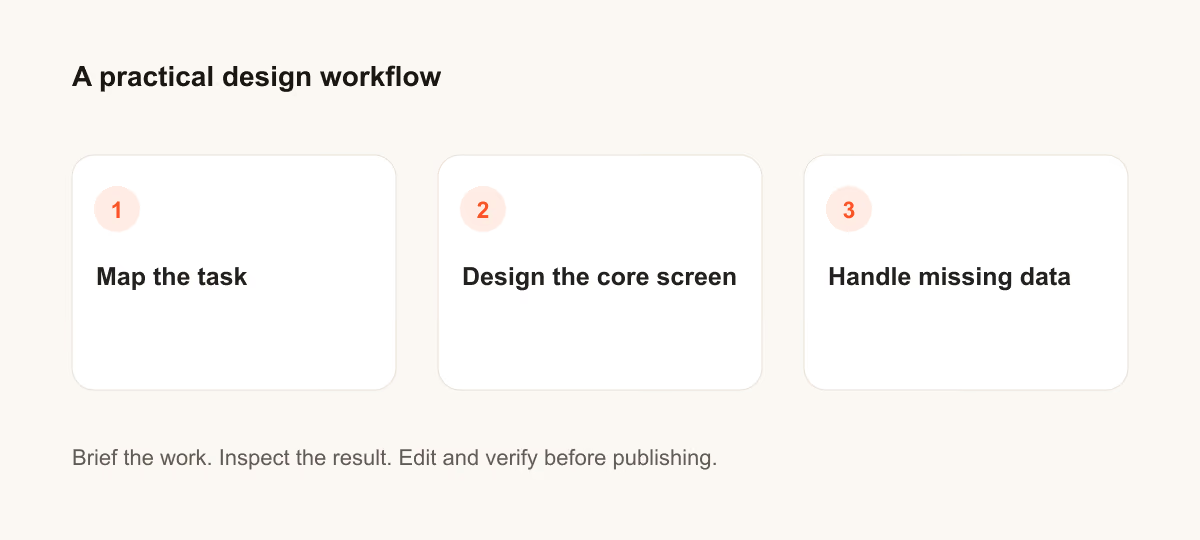
Para los prompts de análisis de la tarea, indica quién es el usuario y qué decisión debe facilitar la pantalla.
1. Un restablecimiento de contraseña confuso
Design a confusing password reset for a person who needs to finish one task quickly. State the audience and task you are assuming. Then show the user goal, entry point, essential action and success state in a low-fidelity flow. Use realistic labels and content lengths, with no invented metrics or testimonials. Describe the information hierarchy, mobile adaptation and next action. Explain one tradeoff and how you would check it with users.Revisión: ¿Puede un usuario nuevo identificar la siguiente acción sin leer una ayuda emergente?
2. Un formulario de candidatura largo
Design a long application form for a person who needs to finish one task quickly. State the audience and task you are assuming. Then show the user goal, entry point, essential action and success state in a low-fidelity flow. Use realistic labels and content lengths, with no invented metrics or testimonials. Describe the information hierarchy, mobile adaptation and next action. Explain one tradeoff and how you would check it with users.Revisión: ¿Puede un usuario nuevo identificar la siguiente acción sin leer una ayuda emergente?
3. Una opción de cancelación difícil de encontrar
Design a hidden cancellation path for a person who needs to finish one task quickly. State the audience and task you are assuming. Then show the user goal, entry point, essential action and success state in a low-fidelity flow. Use realistic labels and content lengths, with no invented metrics or testimonials. Describe the information hierarchy, mobile adaptation and next action. Explain one tradeoff and how you would check it with users.Revisión: ¿Puede un usuario nuevo identificar la siguiente acción sin leer una ayuda emergente?
4. Una búsqueda sin resultados
Design an empty search result for a person who needs to finish one task quickly. State the audience and task you are assuming. Then show the user goal, entry point, essential action and success state in a low-fidelity flow. Use realistic labels and content lengths, with no invented metrics or testimonials. Describe the information hierarchy, mobile adaptation and next action. Explain one tradeoff and how you would check it with users.Revisión: ¿Puede un usuario nuevo identificar la siguiente acción sin leer una ayuda emergente?
5. Un panel de filtros móvil
Design a mobile filter panel for a person who needs to finish one task quickly. State the audience and task you are assuming. Then show the user goal, entry point, essential action and success state in a low-fidelity flow. Use realistic labels and content lengths, with no invented metrics or testimonials. Describe the information hierarchy, mobile adaptation and next action. Explain one tradeoff and how you would check it with users.Revisión: ¿Puede un usuario nuevo identificar la siguiente acción sin leer una ayuda emergente?
6. Una subida con retraso
Design a delayed upload for a person who needs to finish one task quickly. State the audience and task you are assuming. Then show the user goal, entry point, essential action and success state in a low-fidelity flow. Use realistic labels and content lengths, with no invented metrics or testimonials. Describe the information hierarchy, mobile adaptation and next action. Explain one tradeoff and how you would check it with users.Revisión: ¿Puede un usuario nuevo identificar la siguiente acción sin leer una ayuda emergente?
7. Una página de ajustes densa
Design a dense settings page for a person who needs to finish one task quickly. State the audience and task you are assuming. Then show the user goal, entry point, essential action and success state in a low-fidelity flow. Use realistic labels and content lengths, with no invented metrics or testimonials. Describe the information hierarchy, mobile adaptation and next action. Explain one tradeoff and how you would check it with users.Revisión: ¿Puede un usuario nuevo identificar la siguiente acción sin leer una ayuda emergente?
8. Un selector de fechas inaccesible
Design an inaccessible date picker for a person who needs to finish one task quickly. State the audience and task you are assuming. Then show the user goal, entry point, essential action and success state in a low-fidelity flow. Use realistic labels and content lengths, with no invented metrics or testimonials. Describe the information hierarchy, mobile adaptation and next action. Explain one tradeoff and how you would check it with users.Revisión: ¿Puede un usuario nuevo identificar la siguiente acción sin leer una ayuda emergente?
9. Una pantalla de confirmación poco clara
Design a weak confirmation screen for a person who needs to finish one task quickly. State the audience and task you are assuming. Then show the user goal, entry point, essential action and success state in a low-fidelity flow. Use realistic labels and content lengths, with no invented metrics or testimonials. Describe the information hierarchy, mobile adaptation and next action. Explain one tradeoff and how you would check it with users.Revisión: ¿Puede un usuario nuevo identificar la siguiente acción sin leer una ayuda emergente?
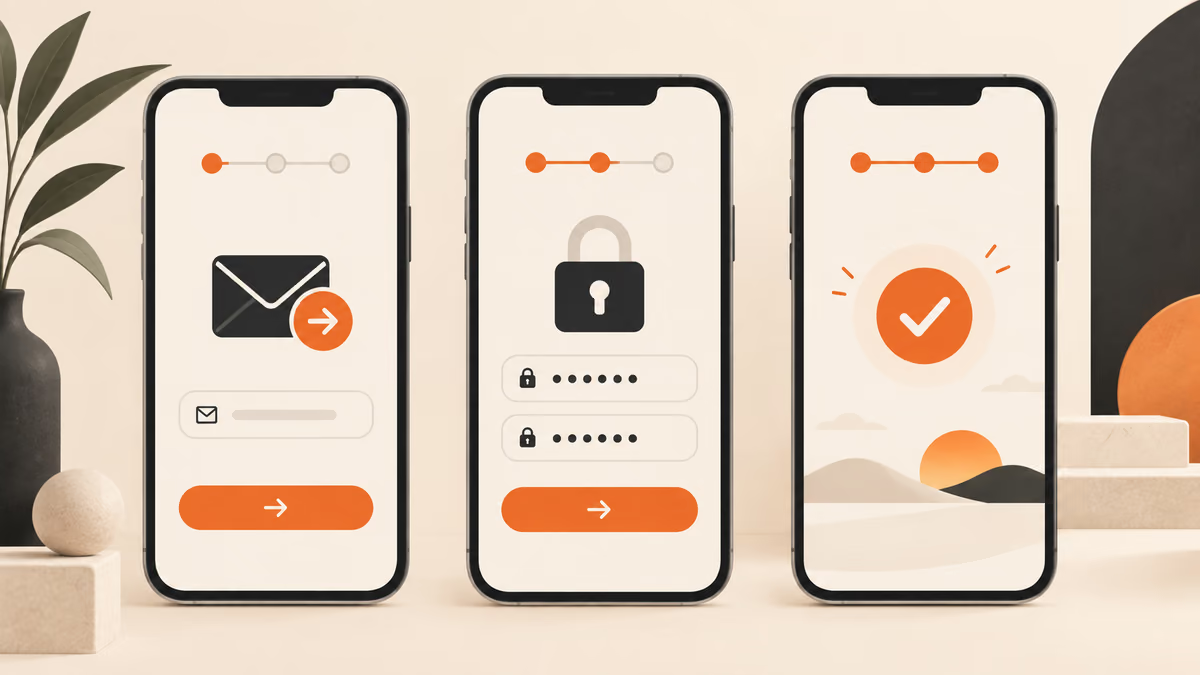
10. Una transición deficiente tras la incorporación
Design a poor onboarding handoff for a person who needs to finish one task quickly. State the audience and task you are assuming. Then show the user goal, entry point, essential action and success state in a low-fidelity flow. Use realistic labels and content lengths, with no invented metrics or testimonials. Describe the information hierarchy, mobile adaptation and next action. Explain one tradeoff and how you would check it with users.Revisión: ¿Puede un usuario nuevo identificar la siguiente acción sin leer una ayuda emergente?
Prompts de diseño de la pantalla principal
Para los prompts de diseño de la pantalla principal, indica quién es el usuario y qué decisión debe facilitar la pantalla.
11. Un restablecimiento de contraseña confuso
Design a confusing password reset for a person who needs to finish one task quickly. State the audience and task you are assuming. Then use a clear hierarchy, realistic content lengths and one prominent primary action. Use realistic labels and content lengths, with no invented metrics or testimonials. Describe the information hierarchy, mobile adaptation and next action. Explain one tradeoff and how you would check it with users.Revisión: Comprueba el diseño en escritorio y en una pantalla móvil de 360 píxeles de ancho.
12. Un formulario de candidatura largo
Design a long application form for a person who needs to finish one task quickly. State the audience and task you are assuming. Then use a clear hierarchy, realistic content lengths and one prominent primary action. Use realistic labels and content lengths, with no invented metrics or testimonials. Describe the information hierarchy, mobile adaptation and next action. Explain one tradeoff and how you would check it with users.Revisión: Comprueba el diseño en escritorio y en una pantalla móvil de 360 píxeles de ancho.
13. Una opción de cancelación difícil de encontrar
Design a hidden cancellation path for a person who needs to finish one task quickly. State the audience and task you are assuming. Then use a clear hierarchy, realistic content lengths and one prominent primary action. Use realistic labels and content lengths, with no invented metrics or testimonials. Describe the information hierarchy, mobile adaptation and next action. Explain one tradeoff and how you would check it with users.Revisión: Comprueba el diseño en escritorio y en una pantalla móvil de 360 píxeles de ancho.
14. Una búsqueda sin resultados
Design an empty search result for a person who needs to finish one task quickly. State the audience and task you are assuming. Then use a clear hierarchy, realistic content lengths and one prominent primary action. Use realistic labels and content lengths, with no invented metrics or testimonials. Describe the information hierarchy, mobile adaptation and next action. Explain one tradeoff and how you would check it with users.Revisión: Comprueba el diseño en escritorio y en una pantalla móvil de 360 píxeles de ancho.
15. Un panel de filtros móvil
Design a mobile filter panel for a person who needs to finish one task quickly. State the audience and task you are assuming. Then use a clear hierarchy, realistic content lengths and one prominent primary action. Use realistic labels and content lengths, with no invented metrics or testimonials. Describe the information hierarchy, mobile adaptation and next action. Explain one tradeoff and how you would check it with users.Revisión: Comprueba el diseño en escritorio y en una pantalla móvil de 360 píxeles de ancho.
16. Una subida con retraso
Design a delayed upload for a person who needs to finish one task quickly. State the audience and task you are assuming. Then use a clear hierarchy, realistic content lengths and one prominent primary action. Use realistic labels and content lengths, with no invented metrics or testimonials. Describe the information hierarchy, mobile adaptation and next action. Explain one tradeoff and how you would check it with users.Revisión: Comprueba el diseño en escritorio y en una pantalla móvil de 360 píxeles de ancho.
17. Una página de ajustes densa
Design a dense settings page for a person who needs to finish one task quickly. State the audience and task you are assuming. Then use a clear hierarchy, realistic content lengths and one prominent primary action. Use realistic labels and content lengths, with no invented metrics or testimonials. Describe the information hierarchy, mobile adaptation and next action. Explain one tradeoff and how you would check it with users.Revisión: Comprueba el diseño en escritorio y en una pantalla móvil de 360 píxeles de ancho.
18. Un selector de fechas inaccesible
Design an inaccessible date picker for a person who needs to finish one task quickly. State the audience and task you are assuming. Then use a clear hierarchy, realistic content lengths and one prominent primary action. Use realistic labels and content lengths, with no invented metrics or testimonials. Describe the information hierarchy, mobile adaptation and next action. Explain one tradeoff and how you would check it with users.Revisión: Comprueba el diseño en escritorio y en una pantalla móvil de 360 píxeles de ancho.
19. Una pantalla de confirmación poco clara
Design a weak confirmation screen for a person who needs to finish one task quickly. State the audience and task you are assuming. Then use a clear hierarchy, realistic content lengths and one prominent primary action. Use realistic labels and content lengths, with no invented metrics or testimonials. Describe the information hierarchy, mobile adaptation and next action. Explain one tradeoff and how you would check it with users.Revisión: Comprueba el diseño en escritorio y en una pantalla móvil de 360 píxeles de ancho.
20. Una transición deficiente tras la incorporación
Design a poor onboarding handoff for a person who needs to finish one task quickly. State the audience and task you are assuming. Then use a clear hierarchy, realistic content lengths and one prominent primary action. Use realistic labels and content lengths, with no invented metrics or testimonials. Describe the information hierarchy, mobile adaptation and next action. Explain one tradeoff and how you would check it with users.Revisión: Comprueba el diseño en escritorio y en una pantalla móvil de 360 píxeles de ancho.
Prompts de gestión de datos ausentes
Para los prompts de gestión de datos ausentes, indica quién es el usuario y qué decisión debe facilitar la pantalla.
21. Un restablecimiento de contraseña confuso
Design a confusing password reset for a person who needs to finish one task quickly. State the audience and task you are assuming. Then include empty, loading and error states with recovery actions. Use realistic labels and content lengths, with no invented metrics or testimonials. Describe the information hierarchy, mobile adaptation and next action. Explain one tradeoff and how you would check it with users.Revisión: Comprueba que el usuario pueda recuperarse sin perder lo que ha introducido.
22. Un formulario de candidatura largo
Design a long application form for a person who needs to finish one task quickly. State the audience and task you are assuming. Then include empty, loading and error states with recovery actions. Use realistic labels and content lengths, with no invented metrics or testimonials. Describe the information hierarchy, mobile adaptation and next action. Explain one tradeoff and how you would check it with users.Revisión: Comprueba que el usuario pueda recuperarse sin perder lo que ha introducido.
23. Una opción de cancelación difícil de encontrar
Design a hidden cancellation path for a person who needs to finish one task quickly. State the audience and task you are assuming. Then include empty, loading and error states with recovery actions. Use realistic labels and content lengths, with no invented metrics or testimonials. Describe the information hierarchy, mobile adaptation and next action. Explain one tradeoff and how you would check it with users.Revisión: Comprueba que el usuario pueda recuperarse sin perder lo que ha introducido.
24. Una búsqueda sin resultados
Design an empty search result for a person who needs to finish one task quickly. State the audience and task you are assuming. Then include empty, loading and error states with recovery actions. Use realistic labels and content lengths, with no invented metrics or testimonials. Describe the information hierarchy, mobile adaptation and next action. Explain one tradeoff and how you would check it with users.Revisión: Comprueba que el usuario pueda recuperarse sin perder lo que ha introducido.
25. Un panel de filtros móvil
Design a mobile filter panel for a person who needs to finish one task quickly. State the audience and task you are assuming. Then include empty, loading and error states with recovery actions. Use realistic labels and content lengths, with no invented metrics or testimonials. Describe the information hierarchy, mobile adaptation and next action. Explain one tradeoff and how you would check it with users.Revisión: Comprueba que el usuario pueda recuperarse sin perder lo que ha introducido.
Qué comprobar antes de usar el resultado
Las pantallas generadas son un punto de partida. Pruébalas con contenido real, teclado, pantallas pequeñas y las personas que deban usarlas. Un acabado visual cuidado no demuestra que sean fáciles de utilizar.
Si el resultado no resuelve la tarea, acorta el prompt y especifica el dato o la restricción que falta. Guarda la versión utilizada para poder reproducir el recurso final o el cambio de código.
Para seguir leyendo
Continúa con una guía relacionada
Llévalo a la práctica
Tu siguiente paso
¿Tienes una pregunta o una corrección?
Contactar con Thrive