Die Kurzfassung
- Ein Website-Prompt braucht Seitenzweck, Hierarchie und responsives Verhalten. Nutze diese Bildschirm-Briefings für einen Entwurf, ersetze Platzhalter durch echte Inhalte und teste die Interaktionen.
- Generierte Oberflächen sind Entwürfe. Teste sie mit echten Inhalten, Tastatureingaben, kleinen Bildschirmen und den Menschen, die sie nutzen sollen. Eine ansprechende Gestaltung belegt noch keine gute Bedienbarkeit.
Ein Website-Prompt braucht Seitenzweck, Hierarchie und responsives Verhalten. Nutze diese Bildschirm-Briefings für einen Entwurf, ersetze Platzhalter durch echte Inhalte und teste die Interaktionen.
Generierte Oberflächen sind Entwürfe. Teste sie mit echten Inhalten, Tastatureingaben, kleinen Bildschirmen und den Menschen, die sie nutzen sollen. Eine ansprechende Gestaltung belegt noch keine gute Bedienbarkeit.
So nutzt du diese Sammlung
Wähle die Aufgabe, die deiner Arbeit am nächsten kommt. Kopiere den Prompt und ersetze die allgemeine Szene oder den Code-Kontext durch deine eigenen Angaben. Behalte die Vorgaben bei, mit denen du das Ergebnis prüfen kannst. Ändere jeweils eine Variable, damit du erkennst, was besser geworden ist.
Der Ansatz folgt dem Figma-First-Draft-Leitfaden: Gib konkreten Kontext an und prüfe die Ausgabe, statt einen überzeugend formulierten ersten Entwurf ungeprüft zu übernehmen.
Prompts zum Beschreiben der Aufgabe
Benenne beim Beschreiben der Aufgabe die Nutzer und die Entscheidung, die der Bildschirm unterstützen soll.
1. Die Website einer öffentlichen Bibliothek
Design a public library website for a person who needs to finish one task quickly. State the audience and task you are assuming. Then show the user goal, entry point, essential action and success state in a low-fidelity flow. Use realistic labels and content lengths, with no invented metrics or testimonials. Describe the information hierarchy, mobile adaptation and next action. Explain one tradeoff and how you would check it with users.Prüfung: Kann eine neue Person die nächste Handlung erkennen, ohne einen Tooltip zu lesen?
2. Ein Freelancer-Portfolio
Design a freelance portfolio for a person who needs to finish one task quickly. State the audience and task you are assuming. Then show the user goal, entry point, essential action and success state in a low-fidelity flow. Use realistic labels and content lengths, with no invented metrics or testimonials. Describe the information hierarchy, mobile adaptation and next action. Explain one tradeoff and how you would check it with users.Prüfung: Kann eine neue Person die nächste Handlung erkennen, ohne einen Tooltip zu lesen?
3. Die Website eines kleinen Museums
Design a small museum site for a person who needs to finish one task quickly. State the audience and task you are assuming. Then show the user goal, entry point, essential action and success state in a low-fidelity flow. Use realistic labels and content lengths, with no invented metrics or testimonials. Describe the information hierarchy, mobile adaptation and next action. Explain one tradeoff and how you would check it with users.Prüfung: Kann eine neue Person die nächste Handlung erkennen, ohne einen Tooltip zu lesen?
4. Die Startseite einer SaaS-Dokumentation
Design a SaaS documentation home for a person who needs to finish one task quickly. State the audience and task you are assuming. Then show the user goal, entry point, essential action and success state in a low-fidelity flow. Use realistic labels and content lengths, with no invented metrics or testimonials. Describe the information hierarchy, mobile adaptation and next action. Explain one tradeoff and how you would check it with users.Prüfung: Kann eine neue Person die nächste Handlung erkennen, ohne einen Tooltip zu lesen?
5. Eine Rezeptsammlung
Design a recipe collection for a person who needs to finish one task quickly. State the audience and task you are assuming. Then show the user goal, entry point, essential action and success state in a low-fidelity flow. Use realistic labels and content lengths, with no invented metrics or testimonials. Describe the information hierarchy, mobile adaptation and next action. Explain one tradeoff and how you would check it with users.Prüfung: Kann eine neue Person die nächste Handlung erkennen, ohne einen Tooltip zu lesen?
6. Eine Website für lokale Veranstaltungen
Design a community events site for a person who needs to finish one task quickly. State the audience and task you are assuming. Then show the user goal, entry point, essential action and success state in a low-fidelity flow. Use realistic labels and content lengths, with no invented metrics or testimonials. Describe the information hierarchy, mobile adaptation and next action. Explain one tradeoff and how you would check it with users.Prüfung: Kann eine neue Person die nächste Handlung erkennen, ohne einen Tooltip zu lesen?
7. Eine Seite für Kliniktermine
Design a clinic appointment page for a person who needs to finish one task quickly. State the audience and task you are assuming. Then show the user goal, entry point, essential action and success state in a low-fidelity flow. Use realistic labels and content lengths, with no invented metrics or testimonials. Describe the information hierarchy, mobile adaptation and next action. Explain one tradeoff and how you would check it with users.Prüfung: Kann eine neue Person die nächste Handlung erkennen, ohne einen Tooltip zu lesen?
8. Eine Stellenbörse
Design a job board for a person who needs to finish one task quickly. State the audience and task you are assuming. Then show the user goal, entry point, essential action and success state in a low-fidelity flow. Use realistic labels and content lengths, with no invented metrics or testimonials. Describe the information hierarchy, mobile adaptation and next action. Explain one tradeoff and how you would check it with users.Prüfung: Kann eine neue Person die nächste Handlung erkennen, ohne einen Tooltip zu lesen?
9. Eine Wirkungsübersicht einer gemeinnützigen Organisation
Design a nonprofit impact page for a person who needs to finish one task quickly. State the audience and task you are assuming. Then show the user goal, entry point, essential action and success state in a low-fidelity flow. Use realistic labels and content lengths, with no invented metrics or testimonials. Describe the information hierarchy, mobile adaptation and next action. Explain one tradeoff and how you would check it with users.Prüfung: Kann eine neue Person die nächste Handlung erkennen, ohne einen Tooltip zu lesen?
10. Ein Kontobereich für Abonnements
Design a subscription account area for a person who needs to finish one task quickly. State the audience and task you are assuming. Then show the user goal, entry point, essential action and success state in a low-fidelity flow. Use realistic labels and content lengths, with no invented metrics or testimonials. Describe the information hierarchy, mobile adaptation and next action. Explain one tradeoff and how you would check it with users.Prüfung: Kann eine neue Person die nächste Handlung erkennen, ohne einen Tooltip zu lesen?
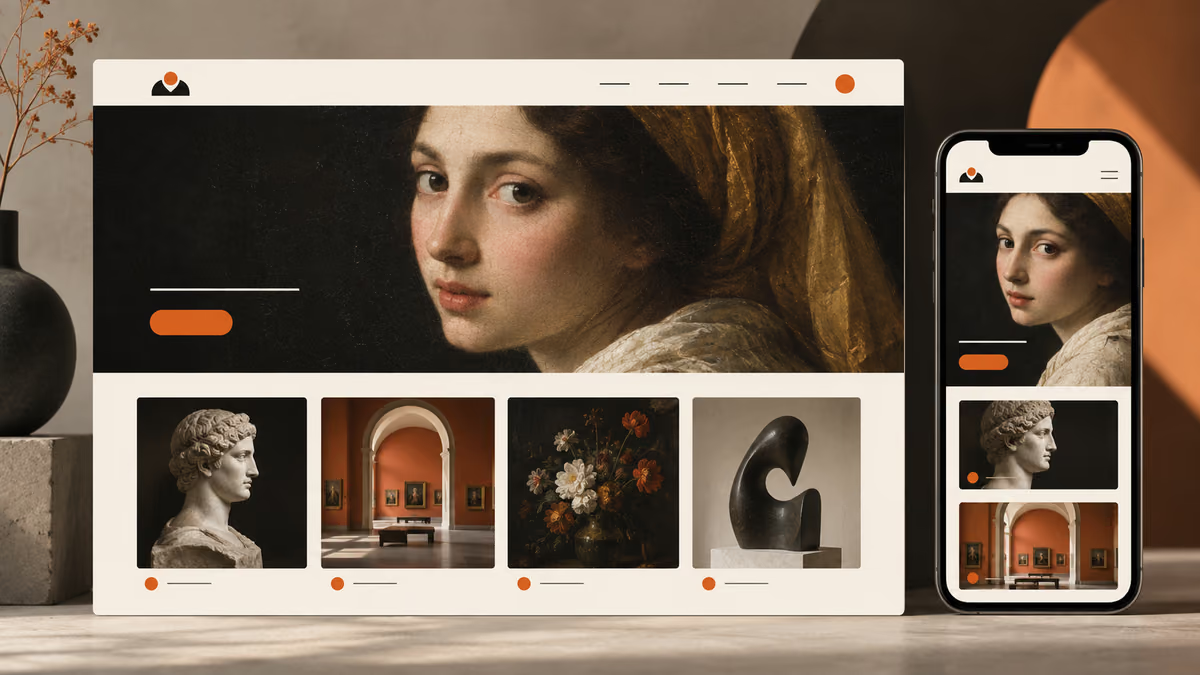
Prompts zur Gestaltung des Hauptbildschirms
Benenne beim Gestalten des Hauptbildschirms die Nutzer und die Entscheidung, die der Bildschirm unterstützen soll.
11. Die Website einer öffentlichen Bibliothek
Design a public library website for a person who needs to finish one task quickly. State the audience and task you are assuming. Then use a clear hierarchy, realistic content lengths and one prominent primary action. Use realistic labels and content lengths, with no invented metrics or testimonials. Describe the information hierarchy, mobile adaptation and next action. Explain one tradeoff and how you would check it with users.Prüfung: Prüfe das Layout auf Desktop-Bildschirmen und bei einer mobilen Breite von 360 Pixeln.
12. Ein Freelancer-Portfolio
Design a freelance portfolio for a person who needs to finish one task quickly. State the audience and task you are assuming. Then use a clear hierarchy, realistic content lengths and one prominent primary action. Use realistic labels and content lengths, with no invented metrics or testimonials. Describe the information hierarchy, mobile adaptation and next action. Explain one tradeoff and how you would check it with users.Prüfung: Prüfe das Layout auf Desktop-Bildschirmen und bei einer mobilen Breite von 360 Pixeln.
13. Die Website eines kleinen Museums
Design a small museum site for a person who needs to finish one task quickly. State the audience and task you are assuming. Then use a clear hierarchy, realistic content lengths and one prominent primary action. Use realistic labels and content lengths, with no invented metrics or testimonials. Describe the information hierarchy, mobile adaptation and next action. Explain one tradeoff and how you would check it with users.Prüfung: Prüfe das Layout auf Desktop-Bildschirmen und bei einer mobilen Breite von 360 Pixeln.
14. Die Startseite einer SaaS-Dokumentation
Design a SaaS documentation home for a person who needs to finish one task quickly. State the audience and task you are assuming. Then use a clear hierarchy, realistic content lengths and one prominent primary action. Use realistic labels and content lengths, with no invented metrics or testimonials. Describe the information hierarchy, mobile adaptation and next action. Explain one tradeoff and how you would check it with users.Prüfung: Prüfe das Layout auf Desktop-Bildschirmen und bei einer mobilen Breite von 360 Pixeln.
15. Eine Rezeptsammlung
Design a recipe collection for a person who needs to finish one task quickly. State the audience and task you are assuming. Then use a clear hierarchy, realistic content lengths and one prominent primary action. Use realistic labels and content lengths, with no invented metrics or testimonials. Describe the information hierarchy, mobile adaptation and next action. Explain one tradeoff and how you would check it with users.Prüfung: Prüfe das Layout auf Desktop-Bildschirmen und bei einer mobilen Breite von 360 Pixeln.
16. Eine Website für lokale Veranstaltungen
Design a community events site for a person who needs to finish one task quickly. State the audience and task you are assuming. Then use a clear hierarchy, realistic content lengths and one prominent primary action. Use realistic labels and content lengths, with no invented metrics or testimonials. Describe the information hierarchy, mobile adaptation and next action. Explain one tradeoff and how you would check it with users.Prüfung: Prüfe das Layout auf Desktop-Bildschirmen und bei einer mobilen Breite von 360 Pixeln.
17. Eine Seite für Kliniktermine
Design a clinic appointment page for a person who needs to finish one task quickly. State the audience and task you are assuming. Then use a clear hierarchy, realistic content lengths and one prominent primary action. Use realistic labels and content lengths, with no invented metrics or testimonials. Describe the information hierarchy, mobile adaptation and next action. Explain one tradeoff and how you would check it with users.Prüfung: Prüfe das Layout auf Desktop-Bildschirmen und bei einer mobilen Breite von 360 Pixeln.
18. Eine Stellenbörse
Design a job board for a person who needs to finish one task quickly. State the audience and task you are assuming. Then use a clear hierarchy, realistic content lengths and one prominent primary action. Use realistic labels and content lengths, with no invented metrics or testimonials. Describe the information hierarchy, mobile adaptation and next action. Explain one tradeoff and how you would check it with users.Prüfung: Prüfe das Layout auf Desktop-Bildschirmen und bei einer mobilen Breite von 360 Pixeln.
19. Eine Wirkungsübersicht einer gemeinnützigen Organisation
Design a nonprofit impact page for a person who needs to finish one task quickly. State the audience and task you are assuming. Then use a clear hierarchy, realistic content lengths and one prominent primary action. Use realistic labels and content lengths, with no invented metrics or testimonials. Describe the information hierarchy, mobile adaptation and next action. Explain one tradeoff and how you would check it with users.Prüfung: Prüfe das Layout auf Desktop-Bildschirmen und bei einer mobilen Breite von 360 Pixeln.
20. Ein Kontobereich für Abonnements
Design a subscription account area for a person who needs to finish one task quickly. State the audience and task you are assuming. Then use a clear hierarchy, realistic content lengths and one prominent primary action. Use realistic labels and content lengths, with no invented metrics or testimonials. Describe the information hierarchy, mobile adaptation and next action. Explain one tradeoff and how you would check it with users.Prüfung: Prüfe das Layout auf Desktop-Bildschirmen und bei einer mobilen Breite von 360 Pixeln.
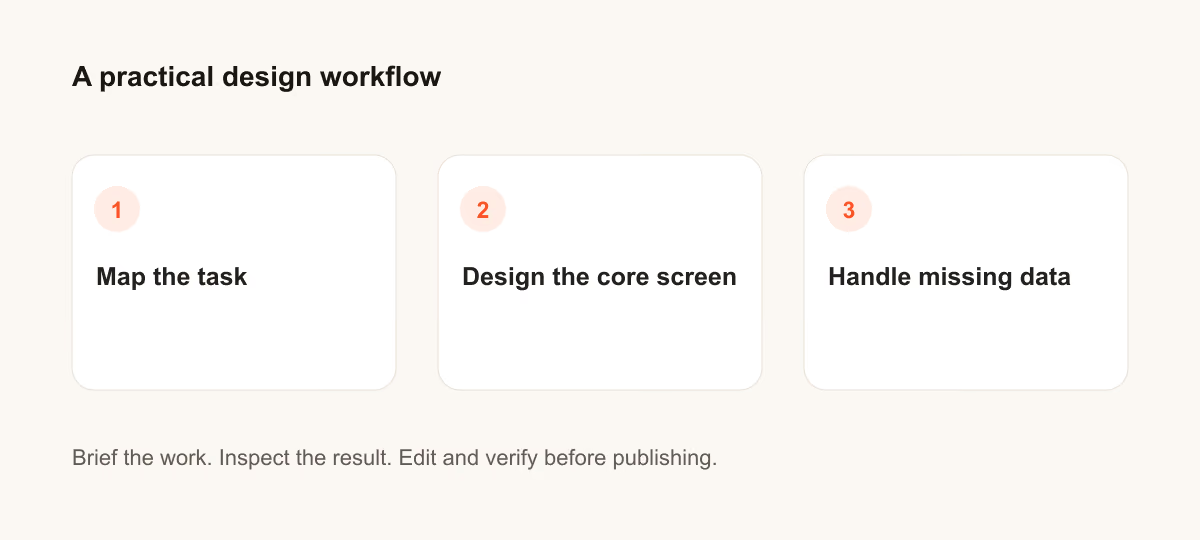
Prompts für fehlende Daten
Benenne beim Planen fehlender Daten die Nutzer und die Entscheidung, die der Bildschirm unterstützen soll.
21. Die Website einer öffentlichen Bibliothek
Design a public library website for a person who needs to finish one task quickly. State the audience and task you are assuming. Then include empty, loading and error states with recovery actions. Use realistic labels and content lengths, with no invented metrics or testimonials. Describe the information hierarchy, mobile adaptation and next action. Explain one tradeoff and how you would check it with users.Prüfung: Prüfe, ob die Person den Vorgang fortsetzen kann, ohne bereits eingegebene Angaben zu verlieren.
22. Ein Freelancer-Portfolio
Design a freelance portfolio for a person who needs to finish one task quickly. State the audience and task you are assuming. Then include empty, loading and error states with recovery actions. Use realistic labels and content lengths, with no invented metrics or testimonials. Describe the information hierarchy, mobile adaptation and next action. Explain one tradeoff and how you would check it with users.Prüfung: Prüfe, ob die Person den Vorgang fortsetzen kann, ohne bereits eingegebene Angaben zu verlieren.
23. Die Website eines kleinen Museums
Design a small museum site for a person who needs to finish one task quickly. State the audience and task you are assuming. Then include empty, loading and error states with recovery actions. Use realistic labels and content lengths, with no invented metrics or testimonials. Describe the information hierarchy, mobile adaptation and next action. Explain one tradeoff and how you would check it with users.Prüfung: Prüfe, ob die Person den Vorgang fortsetzen kann, ohne bereits eingegebene Angaben zu verlieren.
24. Die Startseite einer SaaS-Dokumentation
Design a SaaS documentation home for a person who needs to finish one task quickly. State the audience and task you are assuming. Then include empty, loading and error states with recovery actions. Use realistic labels and content lengths, with no invented metrics or testimonials. Describe the information hierarchy, mobile adaptation and next action. Explain one tradeoff and how you would check it with users.Prüfung: Prüfe, ob die Person den Vorgang fortsetzen kann, ohne bereits eingegebene Angaben zu verlieren.
25. Eine Rezeptsammlung
Design a recipe collection for a person who needs to finish one task quickly. State the audience and task you are assuming. Then include empty, loading and error states with recovery actions. Use realistic labels and content lengths, with no invented metrics or testimonials. Describe the information hierarchy, mobile adaptation and next action. Explain one tradeoff and how you would check it with users.Prüfung: Prüfe, ob die Person den Vorgang fortsetzen kann, ohne bereits eingegebene Angaben zu verlieren.
26. Eine Website für lokale Veranstaltungen
Design a community events site for a person who needs to finish one task quickly. State the audience and task you are assuming. Then include empty, loading and error states with recovery actions. Use realistic labels and content lengths, with no invented metrics or testimonials. Describe the information hierarchy, mobile adaptation and next action. Explain one tradeoff and how you would check it with users.Prüfung: Prüfe, ob die Person den Vorgang fortsetzen kann, ohne bereits eingegebene Angaben zu verlieren.
27. Eine Seite für Kliniktermine
Design a clinic appointment page for a person who needs to finish one task quickly. State the audience and task you are assuming. Then include empty, loading and error states with recovery actions. Use realistic labels and content lengths, with no invented metrics or testimonials. Describe the information hierarchy, mobile adaptation and next action. Explain one tradeoff and how you would check it with users.Prüfung: Prüfe, ob die Person den Vorgang fortsetzen kann, ohne bereits eingegebene Angaben zu verlieren.
28. Eine Stellenbörse
Design a job board for a person who needs to finish one task quickly. State the audience and task you are assuming. Then include empty, loading and error states with recovery actions. Use realistic labels and content lengths, with no invented metrics or testimonials. Describe the information hierarchy, mobile adaptation and next action. Explain one tradeoff and how you would check it with users.Prüfung: Prüfe, ob die Person den Vorgang fortsetzen kann, ohne bereits eingegebene Angaben zu verlieren.
29. Eine Wirkungsübersicht einer gemeinnützigen Organisation
Design a nonprofit impact page for a person who needs to finish one task quickly. State the audience and task you are assuming. Then include empty, loading and error states with recovery actions. Use realistic labels and content lengths, with no invented metrics or testimonials. Describe the information hierarchy, mobile adaptation and next action. Explain one tradeoff and how you would check it with users.Prüfung: Prüfe, ob die Person den Vorgang fortsetzen kann, ohne bereits eingegebene Angaben zu verlieren.
30. Ein Kontobereich für Abonnements
Design a subscription account area for a person who needs to finish one task quickly. State the audience and task you are assuming. Then include empty, loading and error states with recovery actions. Use realistic labels and content lengths, with no invented metrics or testimonials. Describe the information hierarchy, mobile adaptation and next action. Explain one tradeoff and how you would check it with users.Prüfung: Prüfe, ob die Person den Vorgang fortsetzen kann, ohne bereits eingegebene Angaben zu verlieren.
Was du vor der Verwendung des Ergebnisses prüfen solltest
Generierte Oberflächen sind Entwürfe. Teste sie mit echten Inhalten, Tastatureingaben, kleinen Bildschirmen und den Menschen, die sie nutzen sollen. Eine ansprechende Gestaltung belegt noch keine gute Bedienbarkeit.
Wenn die Ausgabe die Aufgabe verfehlt, kürze den Prompt und ergänze die fehlende Angabe oder Vorgabe. Halte fest, welche Version du verwendet hast, damit sich das fertige Material oder die Code-Änderung reproduzieren lässt.
Weiterführende Informationen
Mit einem verwandten Leitfaden fortfahren
Setzen Sie es in die Praxis um
Dein nächster Schritt
Hast du eine Frage oder Korrektur?
Thrive kontaktieren