The short version
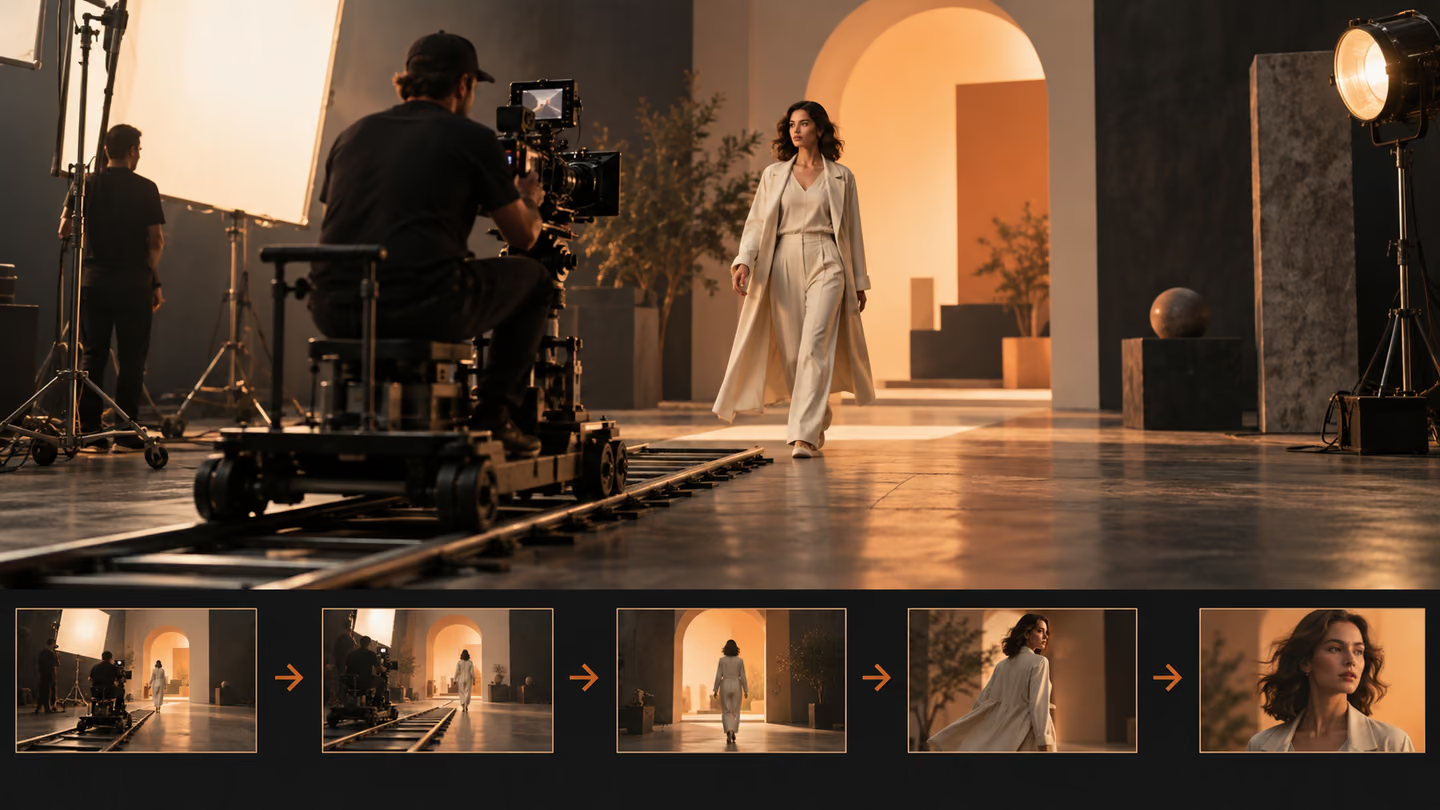
- The camera should reveal something or follow an action. These prompts specify the starting frame, the move and the final composition so motion has a reason.
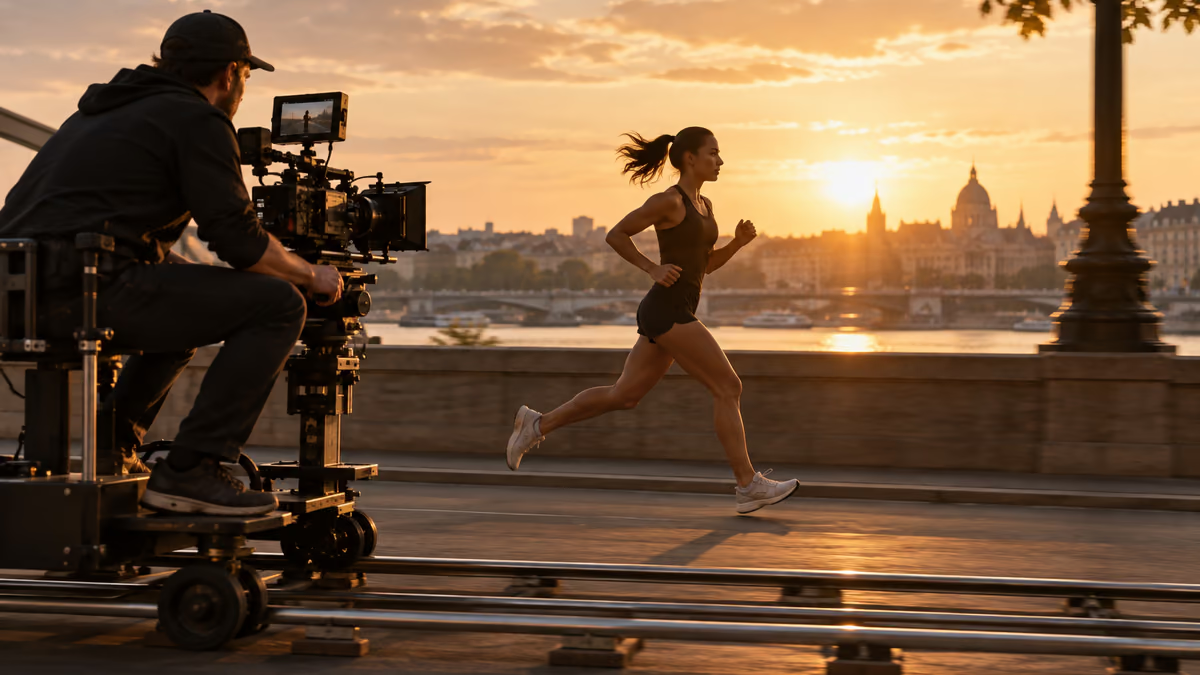
- These are shot directions, not video files. Model support for aspect ratio, duration, reference frames and sound varies, so set those controls in the tool you actually use. A generated still in this guide illustrates a frame; it does not prove that a video model rendered the movement.
The camera should reveal something or follow an action. These prompts specify the starting frame, the move and the final composition so motion has a reason.
These are shot directions, not video files. Model support for aspect ratio, duration, reference frames and sound varies, so set those controls in the tool you actually use. A generated still in this guide illustrates a frame; it does not prove that a video model rendered the movement.
How to use this collection
Pick the task closest to your work. Copy the prompt, replace the generic scene or code context with your own facts, and keep the constraints that help you judge the result. Change one variable at a time so you can tell what improved.
The approach follows the Google Veo prompt guide: provide concrete context and inspect the output rather than assuming a polished first pass is correct.
Establish the scene prompts
Use establish the scene when the shot needs a clear visual purpose. Keep only one action in each clip.
1. A slow dolly toward a workshop
Create a 16:9 widescreen shot of a slow dolly toward a workshop. Use a wide opening frame, one clear subject, a visible setting and stable horizon. Show one continuous action, not a montage. Keep the subject, geometry and light consistent. End on a composition an editor can hold or cut from. No added text, logos or abrupt morphs.Review: Check whether the first second makes the location and subject legible.
2. A lateral tracking shot beside a runner
Create a 16:9 widescreen shot of a lateral tracking shot beside a runner. Use a wide opening frame, one clear subject, a visible setting and stable horizon. Show one continuous action, not a montage. Keep the subject, geometry and light consistent. End on a composition an editor can hold or cut from. No added text, logos or abrupt morphs.Review: Check whether the first second makes the location and subject legible.
3. A crane rise over a market
Create a 16:9 widescreen shot of a crane rise over a market. Use a wide opening frame, one clear subject, a visible setting and stable horizon. Show one continuous action, not a montage. Keep the subject, geometry and light consistent. End on a composition an editor can hold or cut from. No added text, logos or abrupt morphs.Review: Check whether the first second makes the location and subject legible.
4. A handheld walk through a hallway
Create a 16:9 widescreen shot of a handheld walk through a hallway. Use a wide opening frame, one clear subject, a visible setting and stable horizon. Show one continuous action, not a montage. Keep the subject, geometry and light consistent. End on a composition an editor can hold or cut from. No added text, logos or abrupt morphs.Review: Check whether the first second makes the location and subject legible.
5. A tabletop orbit around a product
Create a 16:9 widescreen shot of a tabletop orbit around a product. Use a wide opening frame, one clear subject, a visible setting and stable horizon. Show one continuous action, not a montage. Keep the subject, geometry and light consistent. End on a composition an editor can hold or cut from. No added text, logos or abrupt morphs.Review: Check whether the first second makes the location and subject legible.
6. A tilt from shoes to face
Create a 16:9 widescreen shot of a tilt from shoes to face. Use a wide opening frame, one clear subject, a visible setting and stable horizon. Show one continuous action, not a montage. Keep the subject, geometry and light consistent. End on a composition an editor can hold or cut from. No added text, logos or abrupt morphs.Review: Check whether the first second makes the location and subject legible.
7. A push through a doorway
Create a 16:9 widescreen shot of a push through a doorway. Use a wide opening frame, one clear subject, a visible setting and stable horizon. Show one continuous action, not a montage. Keep the subject, geometry and light consistent. End on a composition an editor can hold or cut from. No added text, logos or abrupt morphs.Review: Check whether the first second makes the location and subject legible.
8. A pullback from a detail
Create a 16:9 widescreen shot of a pullback from a detail. Use a wide opening frame, one clear subject, a visible setting and stable horizon. Show one continuous action, not a montage. Keep the subject, geometry and light consistent. End on a composition an editor can hold or cut from. No added text, logos or abrupt morphs.Review: Check whether the first second makes the location and subject legible.
9. A locked-off shot with moving subject
Create a 16:9 widescreen shot of a locked-off shot with moving subject. Use a wide opening frame, one clear subject, a visible setting and stable horizon. Show one continuous action, not a montage. Keep the subject, geometry and light consistent. End on a composition an editor can hold or cut from. No added text, logos or abrupt morphs.Review: Check whether the first second makes the location and subject legible.
10. An overhead descent onto a desk
Create a 16:9 widescreen shot of an overhead descent onto a desk. Use a wide opening frame, one clear subject, a visible setting and stable horizon. Show one continuous action, not a montage. Keep the subject, geometry and light consistent. End on a composition an editor can hold or cut from. No added text, logos or abrupt morphs.Review: Check whether the first second makes the location and subject legible.
Track the action prompts
Use track the action when the shot needs a clear visual purpose. Keep only one action in each clip.
11. A slow dolly toward a workshop
Create a 16:9 widescreen shot of a slow dolly toward a workshop. Use a single motivated camera move that follows the subject without sudden direction changes. Show one continuous action, not a montage. Keep the subject, geometry and light consistent. End on a composition an editor can hold or cut from. No added text, logos or abrupt morphs.Review: Check continuity of the subject and direction of travel.
12. A lateral tracking shot beside a runner
Create a 16:9 widescreen shot of a lateral tracking shot beside a runner. Use a single motivated camera move that follows the subject without sudden direction changes. Show one continuous action, not a montage. Keep the subject, geometry and light consistent. End on a composition an editor can hold or cut from. No added text, logos or abrupt morphs.Review: Check continuity of the subject and direction of travel.
13. A crane rise over a market
Create a 16:9 widescreen shot of a crane rise over a market. Use a single motivated camera move that follows the subject without sudden direction changes. Show one continuous action, not a montage. Keep the subject, geometry and light consistent. End on a composition an editor can hold or cut from. No added text, logos or abrupt morphs.Review: Check continuity of the subject and direction of travel.
14. A handheld walk through a hallway
Create a 16:9 widescreen shot of a handheld walk through a hallway. Use a single motivated camera move that follows the subject without sudden direction changes. Show one continuous action, not a montage. Keep the subject, geometry and light consistent. End on a composition an editor can hold or cut from. No added text, logos or abrupt morphs.Review: Check continuity of the subject and direction of travel.
15. A tabletop orbit around a product
Create a 16:9 widescreen shot of a tabletop orbit around a product. Use a single motivated camera move that follows the subject without sudden direction changes. Show one continuous action, not a montage. Keep the subject, geometry and light consistent. End on a composition an editor can hold or cut from. No added text, logos or abrupt morphs.Review: Check continuity of the subject and direction of travel.
16. A tilt from shoes to face
Create a 16:9 widescreen shot of a tilt from shoes to face. Use a single motivated camera move that follows the subject without sudden direction changes. Show one continuous action, not a montage. Keep the subject, geometry and light consistent. End on a composition an editor can hold or cut from. No added text, logos or abrupt morphs.Review: Check continuity of the subject and direction of travel.
17. A push through a doorway
Create a 16:9 widescreen shot of a push through a doorway. Use a single motivated camera move that follows the subject without sudden direction changes. Show one continuous action, not a montage. Keep the subject, geometry and light consistent. End on a composition an editor can hold or cut from. No added text, logos or abrupt morphs.Review: Check continuity of the subject and direction of travel.
18. A pullback from a detail
Create a 16:9 widescreen shot of a pullback from a detail. Use a single motivated camera move that follows the subject without sudden direction changes. Show one continuous action, not a montage. Keep the subject, geometry and light consistent. End on a composition an editor can hold or cut from. No added text, logos or abrupt morphs.Review: Check continuity of the subject and direction of travel.
19. A locked-off shot with moving subject
Create a 16:9 widescreen shot of a locked-off shot with moving subject. Use a single motivated camera move that follows the subject without sudden direction changes. Show one continuous action, not a montage. Keep the subject, geometry and light consistent. End on a composition an editor can hold or cut from. No added text, logos or abrupt morphs.Review: Check continuity of the subject and direction of travel.
20. An overhead descent onto a desk
Create a 16:9 widescreen shot of an overhead descent onto a desk. Use a single motivated camera move that follows the subject without sudden direction changes. Show one continuous action, not a montage. Keep the subject, geometry and light consistent. End on a composition an editor can hold or cut from. No added text, logos or abrupt morphs.Review: Check continuity of the subject and direction of travel.
Show a detail prompts
Use show a detail when the shot needs a clear visual purpose. Keep only one action in each clip.
21. A slow dolly toward a workshop
Create a 16:9 widescreen shot of a slow dolly toward a workshop. Use a close view of a meaningful action, tactile material and plausible hand or object movement. Show one continuous action, not a montage. Keep the subject, geometry and light consistent. End on a composition an editor can hold or cut from. No added text, logos or abrupt morphs.Review: Check hands, contact points and the beginning and end of the action.
22. A lateral tracking shot beside a runner
Create a 16:9 widescreen shot of a lateral tracking shot beside a runner. Use a close view of a meaningful action, tactile material and plausible hand or object movement. Show one continuous action, not a montage. Keep the subject, geometry and light consistent. End on a composition an editor can hold or cut from. No added text, logos or abrupt morphs.Review: Check hands, contact points and the beginning and end of the action.
23. A crane rise over a market
Create a 16:9 widescreen shot of a crane rise over a market. Use a close view of a meaningful action, tactile material and plausible hand or object movement. Show one continuous action, not a montage. Keep the subject, geometry and light consistent. End on a composition an editor can hold or cut from. No added text, logos or abrupt morphs.Review: Check hands, contact points and the beginning and end of the action.
24. A handheld walk through a hallway
Create a 16:9 widescreen shot of a handheld walk through a hallway. Use a close view of a meaningful action, tactile material and plausible hand or object movement. Show one continuous action, not a montage. Keep the subject, geometry and light consistent. End on a composition an editor can hold or cut from. No added text, logos or abrupt morphs.Review: Check hands, contact points and the beginning and end of the action.
25. A tabletop orbit around a product
Create a 16:9 widescreen shot of a tabletop orbit around a product. Use a close view of a meaningful action, tactile material and plausible hand or object movement. Show one continuous action, not a montage. Keep the subject, geometry and light consistent. End on a composition an editor can hold or cut from. No added text, logos or abrupt morphs.Review: Check hands, contact points and the beginning and end of the action.
26. A tilt from shoes to face
Create a 16:9 widescreen shot of a tilt from shoes to face. Use a close view of a meaningful action, tactile material and plausible hand or object movement. Show one continuous action, not a montage. Keep the subject, geometry and light consistent. End on a composition an editor can hold or cut from. No added text, logos or abrupt morphs.Review: Check hands, contact points and the beginning and end of the action.
27. A push through a doorway
Create a 16:9 widescreen shot of a push through a doorway. Use a close view of a meaningful action, tactile material and plausible hand or object movement. Show one continuous action, not a montage. Keep the subject, geometry and light consistent. End on a composition an editor can hold or cut from. No added text, logos or abrupt morphs.Review: Check hands, contact points and the beginning and end of the action.
28. A pullback from a detail
Create a 16:9 widescreen shot of a pullback from a detail. Use a close view of a meaningful action, tactile material and plausible hand or object movement. Show one continuous action, not a montage. Keep the subject, geometry and light consistent. End on a composition an editor can hold or cut from. No added text, logos or abrupt morphs.Review: Check hands, contact points and the beginning and end of the action.
29. A locked-off shot with moving subject
Create a 16:9 widescreen shot of a locked-off shot with moving subject. Use a close view of a meaningful action, tactile material and plausible hand or object movement. Show one continuous action, not a montage. Keep the subject, geometry and light consistent. End on a composition an editor can hold or cut from. No added text, logos or abrupt morphs.Review: Check hands, contact points and the beginning and end of the action.
30. An overhead descent onto a desk
Create a 16:9 widescreen shot of an overhead descent onto a desk. Use a close view of a meaningful action, tactile material and plausible hand or object movement. Show one continuous action, not a montage. Keep the subject, geometry and light consistent. End on a composition an editor can hold or cut from. No added text, logos or abrupt morphs.Review: Check hands, contact points and the beginning and end of the action.
What to check before you use the result
These are shot directions, not video files. Model support for aspect ratio, duration, reference frames and sound varies, so set those controls in the tool you actually use. A generated still in this guide illustrates a frame; it does not prove that a video model rendered the movement.
If the output misses the task, shorten the prompt and specify the missing fact or constraint. Keep a record of the version you used so the final asset or code change can be reproduced.
Further reading
Continue with a related guide
Put it into practice
Your next step
Have a question or a correction?
Contact Thrive