La versione breve
- Un prompt per siti web deve definire scopo della pagina, gerarchia e comportamento responsive. Usa questi brief per scegliere una direzione, poi sostituisci i contenuti provvisori e testa le interazioni reali.
- Le schermate generate sono un punto di partenza. Testale con contenuti reali, tastiera, schermi piccoli e persone che dovranno usarle. Una buona resa visiva non dimostra l'usabilità.
Un prompt per siti web deve definire scopo della pagina, gerarchia e comportamento responsive. Usa questi brief per scegliere una direzione, poi sostituisci i contenuti provvisori e testa le interazioni reali.
Le schermate generate sono un punto di partenza. Testale con contenuti reali, tastiera, schermi piccoli e persone che dovranno usarle. Una buona resa visiva non dimostra l'usabilità.
Come usare questa raccolta
Scegli l'attività più vicina al tuo lavoro. Copia il prompt, sostituisci la scena generica o il contesto del codice con i tuoi dati e mantieni i vincoli utili a valutare il risultato. Modifica una variabile alla volta per capire cosa migliora.
Il metodo segue la guida a First Draft di Figma: fornisci un contesto preciso e controlla il risultato, senza dare per corretta una prima bozza ben presentata.
Prompt per descrivere l'attività
Per descrivere l'attività, indica l'utente e la decisione che la schermata deve aiutarlo a prendere.
1. Il sito di una biblioteca pubblica
Design a public library website for a person who needs to finish one task quickly. State the audience and task you are assuming. Then show the user goal, entry point, essential action and success state in a low-fidelity flow. Use realistic labels and content lengths, with no invented metrics or testimonials. Describe the information hierarchy, mobile adaptation and next action. Explain one tradeoff and how you would check it with users.Verifica: Un nuovo utente capisce quale azione compiere senza leggere un suggerimento?
2. Un portfolio da freelance
Design a freelance portfolio for a person who needs to finish one task quickly. State the audience and task you are assuming. Then show the user goal, entry point, essential action and success state in a low-fidelity flow. Use realistic labels and content lengths, with no invented metrics or testimonials. Describe the information hierarchy, mobile adaptation and next action. Explain one tradeoff and how you would check it with users.Verifica: Un nuovo utente capisce quale azione compiere senza leggere un suggerimento?
3. Il sito di un piccolo museo
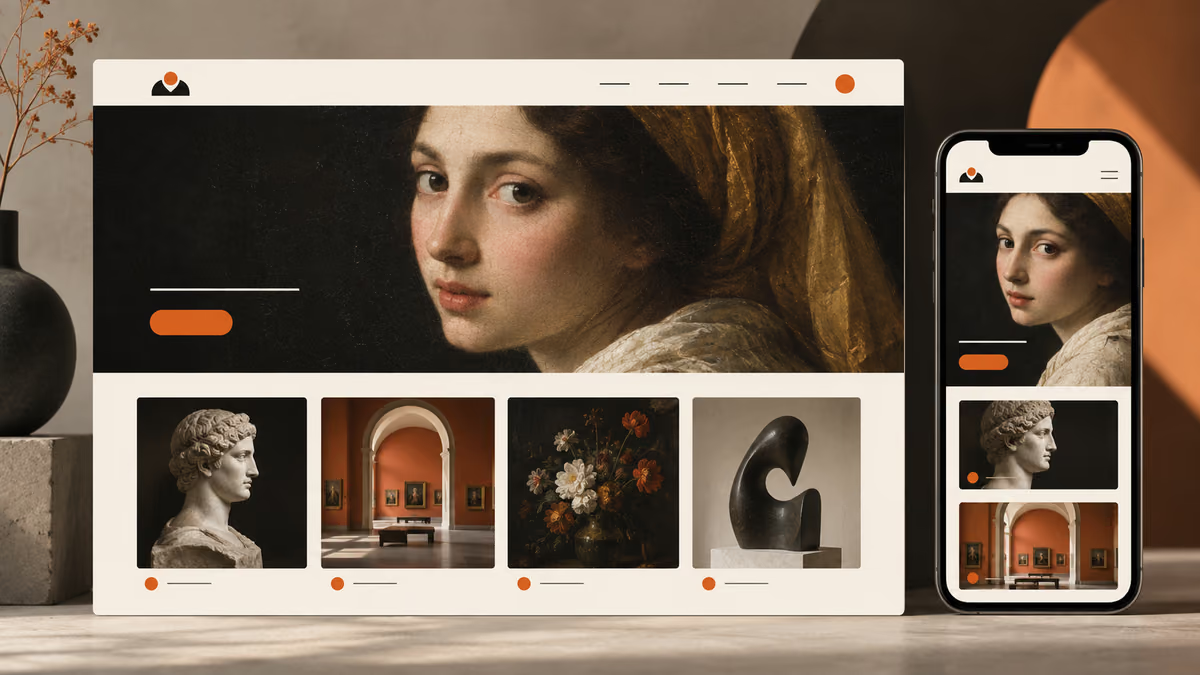
Design a small museum site for a person who needs to finish one task quickly. State the audience and task you are assuming. Then show the user goal, entry point, essential action and success state in a low-fidelity flow. Use realistic labels and content lengths, with no invented metrics or testimonials. Describe the information hierarchy, mobile adaptation and next action. Explain one tradeoff and how you would check it with users.Verifica: Un nuovo utente capisce quale azione compiere senza leggere un suggerimento?
4. La pagina iniziale della documentazione SaaS
Design a SaaS documentation home for a person who needs to finish one task quickly. State the audience and task you are assuming. Then show the user goal, entry point, essential action and success state in a low-fidelity flow. Use realistic labels and content lengths, with no invented metrics or testimonials. Describe the information hierarchy, mobile adaptation and next action. Explain one tradeoff and how you would check it with users.Verifica: Un nuovo utente capisce quale azione compiere senza leggere un suggerimento?
5. Una raccolta di ricette
Design a recipe collection for a person who needs to finish one task quickly. State the audience and task you are assuming. Then show the user goal, entry point, essential action and success state in a low-fidelity flow. Use realistic labels and content lengths, with no invented metrics or testimonials. Describe the information hierarchy, mobile adaptation and next action. Explain one tradeoff and how you would check it with users.Verifica: Un nuovo utente capisce quale azione compiere senza leggere un suggerimento?
6. Un sito di eventi della comunità
Design a community events site for a person who needs to finish one task quickly. State the audience and task you are assuming. Then show the user goal, entry point, essential action and success state in a low-fidelity flow. Use realistic labels and content lengths, with no invented metrics or testimonials. Describe the information hierarchy, mobile adaptation and next action. Explain one tradeoff and how you would check it with users.Verifica: Un nuovo utente capisce quale azione compiere senza leggere un suggerimento?
7. Una pagina per prenotare visite in ambulatorio
Design a clinic appointment page for a person who needs to finish one task quickly. State the audience and task you are assuming. Then show the user goal, entry point, essential action and success state in a low-fidelity flow. Use realistic labels and content lengths, with no invented metrics or testimonials. Describe the information hierarchy, mobile adaptation and next action. Explain one tradeoff and how you would check it with users.Verifica: Un nuovo utente capisce quale azione compiere senza leggere un suggerimento?
8. Una bacheca di annunci di lavoro
Design a job board for a person who needs to finish one task quickly. State the audience and task you are assuming. Then show the user goal, entry point, essential action and success state in a low-fidelity flow. Use realistic labels and content lengths, with no invented metrics or testimonials. Describe the information hierarchy, mobile adaptation and next action. Explain one tradeoff and how you would check it with users.Verifica: Un nuovo utente capisce quale azione compiere senza leggere un suggerimento?
9. Una pagina sui risultati di un'organizzazione non profit
Design a nonprofit impact page for a person who needs to finish one task quickly. State the audience and task you are assuming. Then show the user goal, entry point, essential action and success state in a low-fidelity flow. Use realistic labels and content lengths, with no invented metrics or testimonials. Describe the information hierarchy, mobile adaptation and next action. Explain one tradeoff and how you would check it with users.Verifica: Un nuovo utente capisce quale azione compiere senza leggere un suggerimento?
10. Un'area account per un abbonamento
Design a subscription account area for a person who needs to finish one task quickly. State the audience and task you are assuming. Then show the user goal, entry point, essential action and success state in a low-fidelity flow. Use realistic labels and content lengths, with no invented metrics or testimonials. Describe the information hierarchy, mobile adaptation and next action. Explain one tradeoff and how you would check it with users.Verifica: Un nuovo utente capisce quale azione compiere senza leggere un suggerimento?
Prompt per progettare la schermata principale
Per progettare la schermata principale, indica l'utente e la decisione che la schermata deve aiutarlo a prendere.
11. Il sito di una biblioteca pubblica
Design a public library website for a person who needs to finish one task quickly. State the audience and task you are assuming. Then use a clear hierarchy, realistic content lengths and one prominent primary action. Use realistic labels and content lengths, with no invented metrics or testimonials. Describe the information hierarchy, mobile adaptation and next action. Explain one tradeoff and how you would check it with users.Verifica: Controlla il layout su desktop e su uno schermo mobile largo 360 pixel.
12. Un portfolio da freelance
Design a freelance portfolio for a person who needs to finish one task quickly. State the audience and task you are assuming. Then use a clear hierarchy, realistic content lengths and one prominent primary action. Use realistic labels and content lengths, with no invented metrics or testimonials. Describe the information hierarchy, mobile adaptation and next action. Explain one tradeoff and how you would check it with users.Verifica: Controlla il layout su desktop e su uno schermo mobile largo 360 pixel.
13. Il sito di un piccolo museo
Design a small museum site for a person who needs to finish one task quickly. State the audience and task you are assuming. Then use a clear hierarchy, realistic content lengths and one prominent primary action. Use realistic labels and content lengths, with no invented metrics or testimonials. Describe the information hierarchy, mobile adaptation and next action. Explain one tradeoff and how you would check it with users.Verifica: Controlla il layout su desktop e su uno schermo mobile largo 360 pixel.
14. La pagina iniziale della documentazione SaaS
Design a SaaS documentation home for a person who needs to finish one task quickly. State the audience and task you are assuming. Then use a clear hierarchy, realistic content lengths and one prominent primary action. Use realistic labels and content lengths, with no invented metrics or testimonials. Describe the information hierarchy, mobile adaptation and next action. Explain one tradeoff and how you would check it with users.Verifica: Controlla il layout su desktop e su uno schermo mobile largo 360 pixel.
15. Una raccolta di ricette
Design a recipe collection for a person who needs to finish one task quickly. State the audience and task you are assuming. Then use a clear hierarchy, realistic content lengths and one prominent primary action. Use realistic labels and content lengths, with no invented metrics or testimonials. Describe the information hierarchy, mobile adaptation and next action. Explain one tradeoff and how you would check it with users.Verifica: Controlla il layout su desktop e su uno schermo mobile largo 360 pixel.
16. Un sito di eventi della comunità
Design a community events site for a person who needs to finish one task quickly. State the audience and task you are assuming. Then use a clear hierarchy, realistic content lengths and one prominent primary action. Use realistic labels and content lengths, with no invented metrics or testimonials. Describe the information hierarchy, mobile adaptation and next action. Explain one tradeoff and how you would check it with users.Verifica: Controlla il layout su desktop e su uno schermo mobile largo 360 pixel.
17. Una pagina per prenotare visite in ambulatorio
Design a clinic appointment page for a person who needs to finish one task quickly. State the audience and task you are assuming. Then use a clear hierarchy, realistic content lengths and one prominent primary action. Use realistic labels and content lengths, with no invented metrics or testimonials. Describe the information hierarchy, mobile adaptation and next action. Explain one tradeoff and how you would check it with users.Verifica: Controlla il layout su desktop e su uno schermo mobile largo 360 pixel.
18. Una bacheca di annunci di lavoro
Design a job board for a person who needs to finish one task quickly. State the audience and task you are assuming. Then use a clear hierarchy, realistic content lengths and one prominent primary action. Use realistic labels and content lengths, with no invented metrics or testimonials. Describe the information hierarchy, mobile adaptation and next action. Explain one tradeoff and how you would check it with users.Verifica: Controlla il layout su desktop e su uno schermo mobile largo 360 pixel.
19. Una pagina sui risultati di un'organizzazione non profit
Design a nonprofit impact page for a person who needs to finish one task quickly. State the audience and task you are assuming. Then use a clear hierarchy, realistic content lengths and one prominent primary action. Use realistic labels and content lengths, with no invented metrics or testimonials. Describe the information hierarchy, mobile adaptation and next action. Explain one tradeoff and how you would check it with users.Verifica: Controlla il layout su desktop e su uno schermo mobile largo 360 pixel.
20. Un'area account per un abbonamento
Design a subscription account area for a person who needs to finish one task quickly. State the audience and task you are assuming. Then use a clear hierarchy, realistic content lengths and one prominent primary action. Use realistic labels and content lengths, with no invented metrics or testimonials. Describe the information hierarchy, mobile adaptation and next action. Explain one tradeoff and how you would check it with users.Verifica: Controlla il layout su desktop e su uno schermo mobile largo 360 pixel.
Prompt per gestire i dati mancanti
Per gestire i dati mancanti, indica l'utente e la decisione che la schermata deve aiutarlo a prendere.
21. Il sito di una biblioteca pubblica
Design a public library website for a person who needs to finish one task quickly. State the audience and task you are assuming. Then include empty, loading and error states with recovery actions. Use realistic labels and content lengths, with no invented metrics or testimonials. Describe the information hierarchy, mobile adaptation and next action. Explain one tradeoff and how you would check it with users.Verifica: Verifica che l'utente possa riprendere l'attività senza perdere i dati inseriti.
22. Un portfolio da freelance
Design a freelance portfolio for a person who needs to finish one task quickly. State the audience and task you are assuming. Then include empty, loading and error states with recovery actions. Use realistic labels and content lengths, with no invented metrics or testimonials. Describe the information hierarchy, mobile adaptation and next action. Explain one tradeoff and how you would check it with users.Verifica: Verifica che l'utente possa riprendere l'attività senza perdere i dati inseriti.
23. Il sito di un piccolo museo
Design a small museum site for a person who needs to finish one task quickly. State the audience and task you are assuming. Then include empty, loading and error states with recovery actions. Use realistic labels and content lengths, with no invented metrics or testimonials. Describe the information hierarchy, mobile adaptation and next action. Explain one tradeoff and how you would check it with users.Verifica: Verifica che l'utente possa riprendere l'attività senza perdere i dati inseriti.
24. La pagina iniziale della documentazione SaaS
Design a SaaS documentation home for a person who needs to finish one task quickly. State the audience and task you are assuming. Then include empty, loading and error states with recovery actions. Use realistic labels and content lengths, with no invented metrics or testimonials. Describe the information hierarchy, mobile adaptation and next action. Explain one tradeoff and how you would check it with users.Verifica: Verifica che l'utente possa riprendere l'attività senza perdere i dati inseriti.
25. Una raccolta di ricette
Design a recipe collection for a person who needs to finish one task quickly. State the audience and task you are assuming. Then include empty, loading and error states with recovery actions. Use realistic labels and content lengths, with no invented metrics or testimonials. Describe the information hierarchy, mobile adaptation and next action. Explain one tradeoff and how you would check it with users.Verifica: Verifica che l'utente possa riprendere l'attività senza perdere i dati inseriti.
26. Un sito di eventi della comunità
Design a community events site for a person who needs to finish one task quickly. State the audience and task you are assuming. Then include empty, loading and error states with recovery actions. Use realistic labels and content lengths, with no invented metrics or testimonials. Describe the information hierarchy, mobile adaptation and next action. Explain one tradeoff and how you would check it with users.Verifica: Verifica che l'utente possa riprendere l'attività senza perdere i dati inseriti.
27. Una pagina per prenotare visite in ambulatorio
Design a clinic appointment page for a person who needs to finish one task quickly. State the audience and task you are assuming. Then include empty, loading and error states with recovery actions. Use realistic labels and content lengths, with no invented metrics or testimonials. Describe the information hierarchy, mobile adaptation and next action. Explain one tradeoff and how you would check it with users.Verifica: Verifica che l'utente possa riprendere l'attività senza perdere i dati inseriti.
28. Una bacheca di annunci di lavoro
Design a job board for a person who needs to finish one task quickly. State the audience and task you are assuming. Then include empty, loading and error states with recovery actions. Use realistic labels and content lengths, with no invented metrics or testimonials. Describe the information hierarchy, mobile adaptation and next action. Explain one tradeoff and how you would check it with users.Verifica: Verifica che l'utente possa riprendere l'attività senza perdere i dati inseriti.
29. Una pagina sui risultati di un'organizzazione non profit
Design a nonprofit impact page for a person who needs to finish one task quickly. State the audience and task you are assuming. Then include empty, loading and error states with recovery actions. Use realistic labels and content lengths, with no invented metrics or testimonials. Describe the information hierarchy, mobile adaptation and next action. Explain one tradeoff and how you would check it with users.Verifica: Verifica che l'utente possa riprendere l'attività senza perdere i dati inseriti.
30. Un'area account per un abbonamento
Design a subscription account area for a person who needs to finish one task quickly. State the audience and task you are assuming. Then include empty, loading and error states with recovery actions. Use realistic labels and content lengths, with no invented metrics or testimonials. Describe the information hierarchy, mobile adaptation and next action. Explain one tradeoff and how you would check it with users.Verifica: Verifica che l'utente possa riprendere l'attività senza perdere i dati inseriti.
Cosa verificare prima di usare il risultato
Le schermate generate sono un punto di partenza. Testale con contenuti reali, tastiera, schermi piccoli e persone che dovranno usarle. Una buona resa visiva non dimostra l'usabilità.
Se il risultato non risponde al compito, accorcia il prompt e precisa il fatto o il vincolo mancante. Conserva la versione usata per poter riprodurre il contenuto finale o la modifica al codice.
Approfondimenti
Continua con una guida correlata
Mettilo in pratica
Il prossimo passo
Hai una domanda o una correzione?
Contatta Thrive